
 Posted By
Bajarangi soft ,
Posted On 05-11-2020
Posted By
Bajarangi soft ,
Posted On 05-11-2020
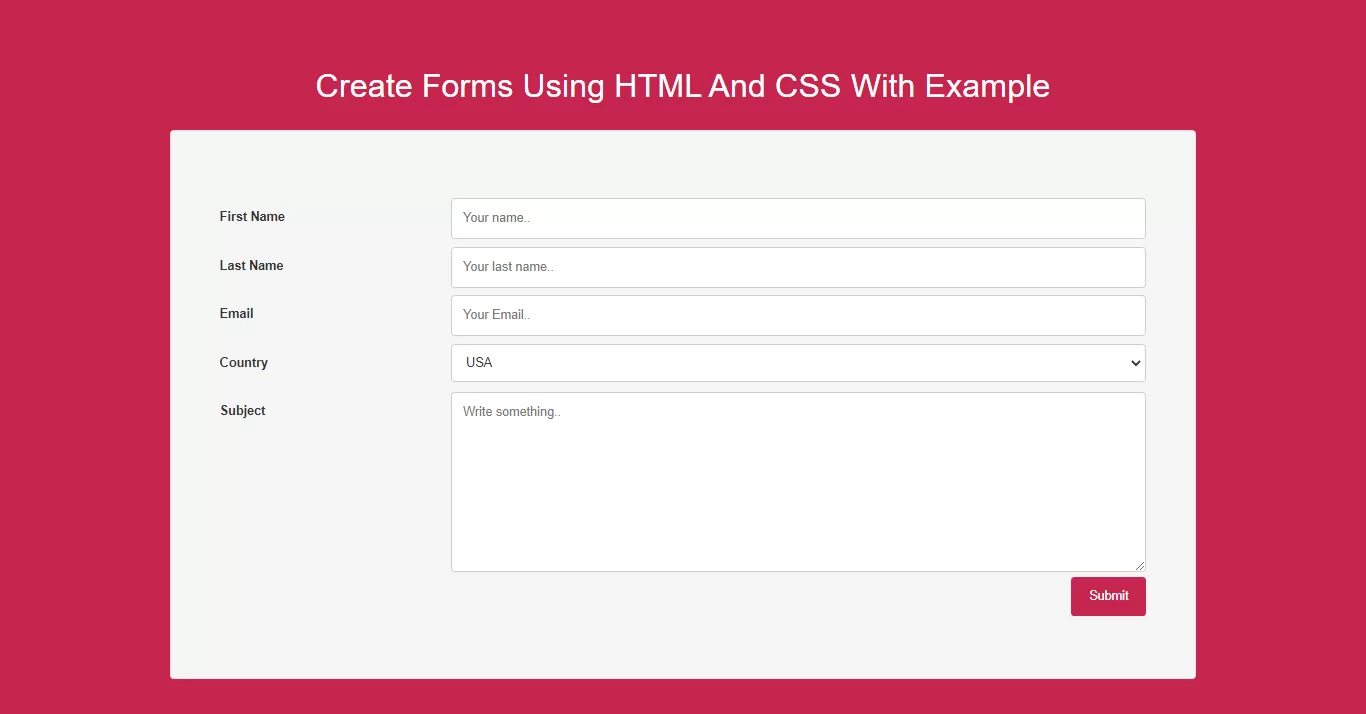
Complete Code For Responsive Forms Using HTML And CSS.
Create Index.html and implement below code in it.
<!DOCTYPE html>
<html>
<head>
    <title>How To Create Forms Using HTML And CSS With Example</title>
    <meta name="viewport" content="width=device-width, initial-scale=1.0">
    <link rel="stylesheet" href="https://maxcdn.bootstrapcdn.com/bootstrap/3.3.6/css/bootstrap.min.css"/>

</head>
<style>
    body {
        background: #c7254e;
    }

    * {
        box-sizing: border-box;
    }

    input[type=text], select, textarea {
        width: 100%;
        padding: 12px;
        border: 1px solid #ccc;
        border-radius: 4px;
        resize: vertical;
    }

    label {
        padding: 12px 12px 12px 0;
        display: inline-block;
    }

    input[type=submit] {
        background-color: #c7254e;
        color: white;
        padding: 12px 20px;
        border: none;
        border-radius: 4px;
        cursor: pointer;
        float: right;
    }

    input[type=submit]:hover {
        background-color: #c7254e;
    }


    .col-25 {
        float: left;
        width: 25%;
        margin-top: 6px;
    }

    .col-75 {
        float: left;
        width: 75%;
        margin-top: 6px;
    }

    /* Clear floats after the columns */
    .row:after {
        content: "";
        display: table;
        clear: both;
    }

    /* Responsive layout - when the screen is less than 600px wide, make the two columns stack on top of each other instead of next to each other */
    @media screen and (max-width: 600px) {
        .col-25, .col-75, input[type=submit] {
            width: 100%;
            margin-top: 0;
        }
    }

    .div1 {
        padding: 50px;
    }
</style>
<body>
<br/><br/>
<div class="container">
    <br>
    <div class="text-center">
        <h1 id="color" style="color: white;">Create Forms Using HTML And CSS With Example</h1>
    </div>
    <br>
    <div class="well">
        <div class="div1">
            <form action="#">
                <div class="row">
                    <div class="col-25">
                        <label for="fname">First Name</label>
                    </div>
                    <div class="col-75">
                        <input type="text" id="fname" name="firstname" placeholder="Your name..">
                    </div>
                </div>
                <div class="row">
                    <div class="col-25">
                        <label for="lname">Last Name</label>
                    </div>
                    <div class="col-75">
                        <input type="text" id="lname" name="lastname" placeholder="Your last name..">
                    </div>
                </div>
                <div class="row">
                    <div class="col-25">
                        <label for="email">Email</label>
                    </div>
                    <div class="col-75">
                        <input type="text" id="email" name="email" placeholder="Your Email..">
                    </div>
                </div>
                <div class="row">
                    <div class="col-25">
                        <label for="country">Country</label>
                    </div>
                    <div class="col-75">
                        <select id="country" name="country">
                            <option value="australia">USA</option>
                            <option value="canada">India</option>
                            <option value="usa">USA</option>
                        </select>
                    </div>
                </div>
                <div class="row">
                    <div class="col-25">
                        <label for="subject">Subject</label>
                    </div>
                    <div class="col-75">
                        <textarea id="subject" name="subject" placeholder="Write something.."
                                  style="height:200px"></textarea>
                    </div>
                </div>
                <div class="row">
                    <input type="submit" value="Submit">
                </div>
            </form>
        </div>
    </div>
    <br>
</div>
</body>
</html>