
 Posted By
Bajarangi soft ,
Posted On 17-09-2020
Posted By
Bajarangi soft ,
Posted On 17-09-2020
Retrieving Uploaded Files
You may access uploaded files from a Illuminate\Http\Request instance using the file method or using dynamic properties. The file method returns an instance of the Illuminate\Http\UploadedFile class, which extends the PHP SplFileInfo class and provides a variety of methods for interacting with the file:
$file = $request->file('photo');

$file = $request->photo;
You may determine if a file is present on the request using the hasFile method:
if ($request->hasFile('photo')) {
//
}
Validating Successful Uploads
In addition to checking if the file is present, you may verify that there were no problems uploading the file via the isValid method:
if ($request->file('photo')->isValid()) {
//
}
File Paths & Extensions
The UploadedFile class also contains methods for accessing the file's fully-qualified path and its extension. The extension method will attempt to guess the file's extension based on its contents. This extension may be different from the extension that was supplied by the client:
$path = $request->photo->path();

$extension = $request->photo->extension();
Other File Methods
There are a variety of other methods available on UploadedFile instances. Check out the API documentation for the class for more information regarding these methods.
Example(1)
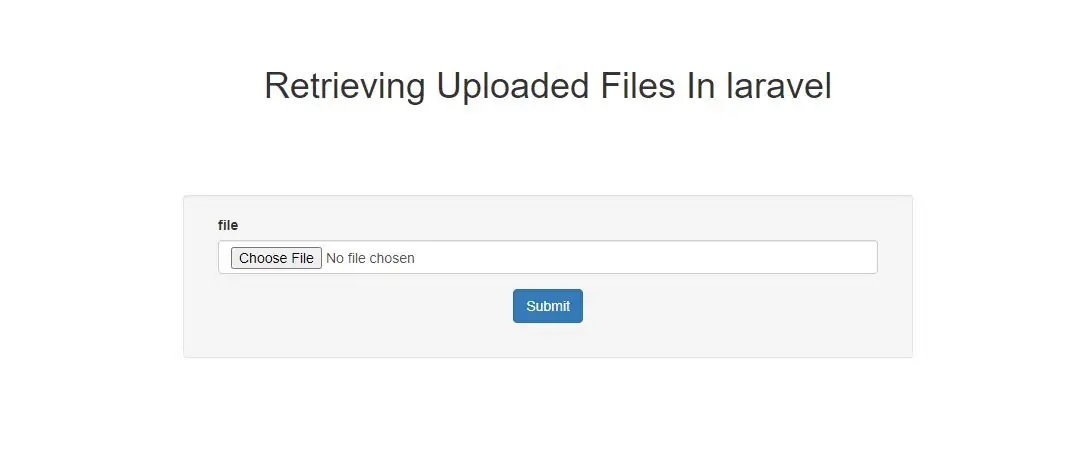
1.Create a view file called resources/views/file.blade.php and Implement code as below
<!DOCTYPE html>
<html>
<head>
    <title>Retrieving Uploaded Files In laravel</title>
    <meta charset="utf-8">
    <meta name="viewport" content="width=device-width, initial-scale=1">
    <link rel="stylesheet" href="https://maxcdn.bootstrapcdn.com/bootstrap/3.4.1/css/bootstrap.min.css">
</head>
<body>
<div class="container">
    <div class="text-center">
        <h1>Retrieving Uploaded Files In laravel</h1>
    </div>
    <div class="form-group col-sm-2"></div>
    <div class="form-group col-sm-8">

        <div class="well">
            <form method="post" action="{{url('filestore')}}">
                @csrf
                <div class="form-group col-sm-12">
                    <label>file</label>
                    <input  class="form-control" type="file" name="file" value="">
                </div>
                <div class="form-group text-center">
                    <input  class="btn btn-primary" type="submit" >
                </div>
            </form>
            <div class="form-group col-sm-2"></div>
        </div>
    </div>
    <br>
</div>
</body>
</html>
php artisan make:controller demoController
3 - Implement code as below in app/Http/Controllers/demoController.php file.
app/Http/Controllers/demoController.php
<?php

namespace App\Http\Controllers;

use Illuminate\Http\Request;
use App\Http\Requests;
use App\Http\Controllers\Controller;
use App\User;

class demoController extends Controller
{
    public function index() {
        return view('file');
    }
    public function filestore(Request $request) {
        $input = $request->all();

        $this->validate($request, [

            'file' => 'required|nullable|image|mimes:jpeg,png,jpg,gif,svg|max:1999',
        ]);
        $input=$request->except('file');
        if ($request->hasFile('file')) {
            echo  $image = $request->file('file');

            echo  $name = time().'.'.$image->getClientOriginalExtension();

            echo $destinationPath = public_path('/images');

            $image->move($destinationPath, $name);
            $input['file']=$name;
        }
        return $input;
    }
}
4 − Create route in app/Http/routes.php. as below created
app/Http/routes.php
Route::get('file', 'demoController@index');
Route::post('filestore', 'demoController@filestore');
5.pass below url in google chrome to upload file
http://localhost/laraveldemoproject/public/file