
 Posted By
Bajarangi soft ,
Posted On 09-10-2020
Posted By
Bajarangi soft ,
Posted On 09-10-2020
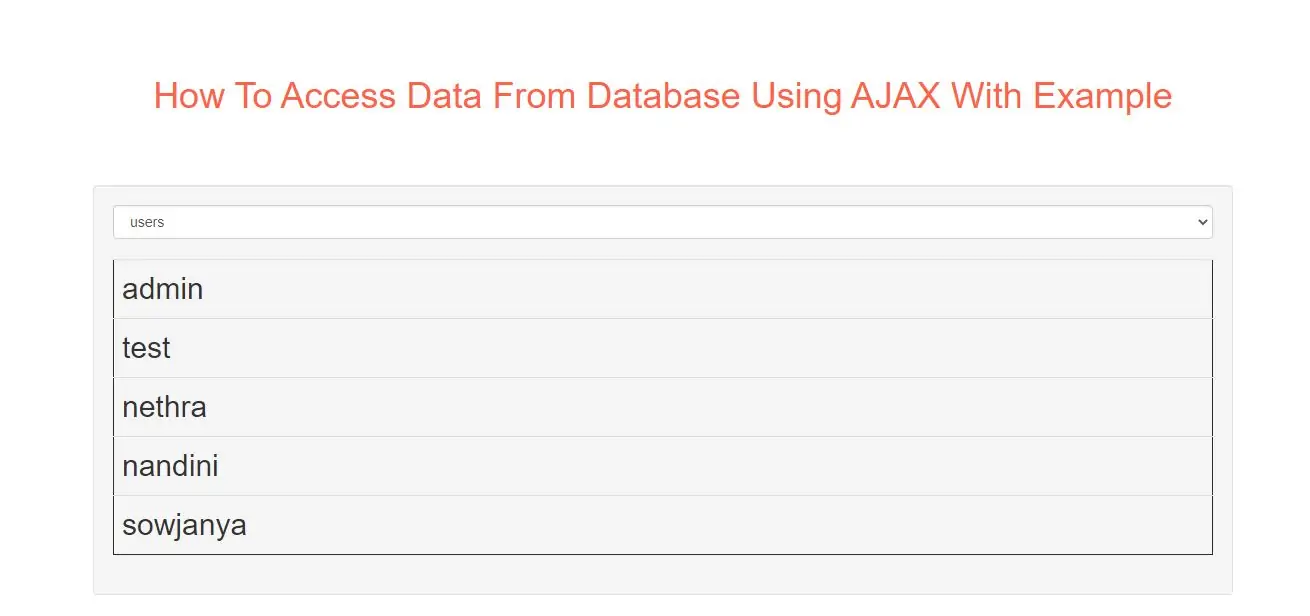
Step 1:
Create index.html and implement below code.
<form action="">
    <select name="customers" onchange="showCustomer(this.value)">
        <option value="">Select a customer:</option>
        <option value="ALFKI">Alfreds Futterkiste</option>
        <option value="NORTS ">North/South</option>
        <option value="WOLZA">Wolski Zajazd</option>
    </select>
</form>
<br>
<div id="txtHint">Customer info will be listed here...</div>
Step 2:
Create php file as getdata.asp file and implement below code in it.
<?php
$mysqli = new mysqli("servername", "username", "password", "dbname");
if($mysqli->connect_error) {
    exit('Could not connect');
}

$sql = "SELECT customerid, companyname, contactname, address, city, postalcode, country
FROM customers WHERE customerid = ?";

$stmt = $mysqli->prepare($sql);
$stmt->bind_param("s", $_GET['q']);
$stmt->execute();
$stmt->store_result();
$stmt->bind_result($cid, $cname, $name, $adr, $city, $pcode, $country);
$stmt->fetch();
$stmt->close();

echo "<table>";
echo "<tr>";
echo "<th>CustomerID</th>";
echo "<td>" . $cid . "</td>";
echo "<th>CompanyName</th>";
echo "<td>" . $cname . "</td>";
echo "<th>ContactName</th>";
echo "<td>" . $name . "</td>";
echo "<th>Address</th>";
echo "<td>" . $adr . "</td>";
echo "<th>City</th>";
echo "<td>" . $city . "</td>";
echo "<th>PostalCode</th>";
echo "<td>" . $pcode . "</td>";
echo "<th>Country</th>";
echo "<td>" . $country . "</td>";
echo "</tr>";
echo "</table>";
?>
Step 3:
Now Implement java script to access php file data.
<script>
    function showCustomer(str) {
        var xhttp;
        if (str == "") {
            document.getElementById("txtHint").innerHTML = "";
            return;
        }
        xhttp = new XMLHttpRequest();
        xhttp.onreadystatechange = function() {
            if (this.readyState == 4 && this.status == 200) {
                document.getElementById("txtHint").innerHTML = this.responseText;
            }
        };
        xhttp.open("GET", "getdata.php?q="+str, true);
        xhttp.send();
    }
</script>
Complete Code For Accessing Data From Database Using AJAX
<!DOCTYPE html>
<html>
<head>
    <title>How To Access Data From Database Using AJAX With Example</title>
    <meta charset="utf-8">
    <meta name="viewport" content="width=device-width, initial-scale=1">
    <link rel="stylesheet" href="https://maxcdn.bootstrapcdn.com/bootstrap/3.4.1/css/bootstrap.min.css">
</head>

<body>
<div class="container">
    <br><br><br>
    <div class="text-center">
        <h1 id="color" style="color: tomato">How To Access Data From Database Using AJAX With Example</h1>
    </div>
    <br><br><br>
    <div class="well">
        <form action="">
            <select name="customers" onchange="showCustomer(this.value)">
                <option value="">Select a customer:</option>
                <option value="ALFKI">Alfreds Futterkiste</option>
                <option value="NORTS ">North/South</option>
                <option value="WOLZA">Wolski Zajazd</option>
            </select>
        </form>
        <br>
        <div id="txtHint">Customer info will be listed here...</div>

        <script>
            function showCustomer(str) {
                var xhttp;
                if (str == "") {
                    document.getElementById("txtHint").innerHTML = "";
                    return;
                }
                xhttp = new XMLHttpRequest();
                xhttp.onreadystatechange = function () {
                    if (this.readyState == 4 && this.status == 200) {
                        document.getElementById("txtHint").innerHTML = this.responseText;
                    }
                };
                xhttp.open("GET", "getcustomer.php?q=" + str, true);
                xhttp.send();
            }
        </script>
    </div>
</div>
</body>
</html>