
 Posted By
Bajarangi soft ,
Posted On 08-10-2020
Posted By
Bajarangi soft ,
Posted On 08-10-2020
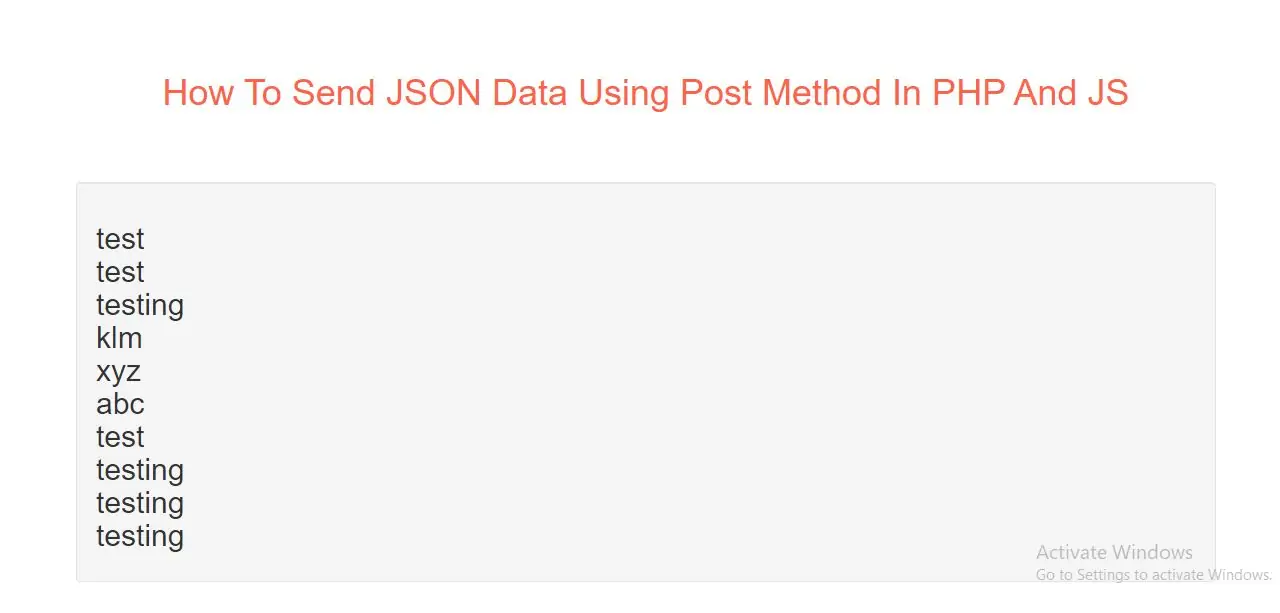
To send AJAX requests using the POST method, specify the method, and the correct header.
The data sent to the server must now be an argument to the send() method:
Let's Learn
Step 1:
Create Index.php file and implement code as below
<h2 id="demo1"></h2>
Step 2:
Create json_demo_db_post.php file and implement code as below
<?php
header("Content-Type: application/json; charset=UTF-8");
$obj = json_decode($_POST["x"], false);

$conn = new mysqli("localhost", "root", "", "allphptricks");
$stmt = $conn->prepare("SELECT name FROM user LIMIT ?");
$stmt->bind_param("s", $obj->limit);
$stmt->execute();
$result = $stmt->get_result();
$outp = $result->fetch_all(MYSQLI_ASSOC);

echo json_encode($outp);
?>
Step 3:
Now we implement java script to get data from database from php file.
<script>
    var obj, dbParam, xmlhttp, myObj, x, txt = "";
    obj = { "limit":10 };
    dbParam = JSON.stringify(obj);
    xmlhttp = new XMLHttpRequest();
    xmlhttp.onreadystatechange = function() {
        if (this.readyState == 4 && this.status == 200) {
            myObj = JSON.parse(this.responseText);
            for (x in myObj) {
                txt += myObj[x].name + "<br>";
            }
            document.getElementById("demo1").innerHTML = txt;
        }
    };
    xmlhttp.open("POST", "json_demo_db.php", true);
    xmlhttp.setRequestHeader("Content-type", "application/x-www-form-urlencoded");
    xmlhttp.send("x=" + dbParam);
</script>
Complete Code For Sending JSON Data Using Post Method In PHP And JS
<!DOCTYPE html>
<html>
<head>
    <title>How To Send JSON Data Using Post Method In PHP And JS</title>
    <meta charset="utf-8">
    <meta name="viewport" content="width=device-width, initial-scale=1">
    <link rel="stylesheet" href="https://maxcdn.bootstrapcdn.com/bootstrap/3.4.1/css/bootstrap.min.css">
</head>

<body>
<div class="container">
    <br><br><br>
    <div class="text-center">
        <h1 id="color" style="color: tomato">How To Send JSON Data Using Post Method In PHP And JS</h1>
    </div>
    <br><br><br>
    <div class="well">
        <h2 id="demo1"></h2>
    </div>

    <script>
        var obj, dbParam, xmlhttp, myObj, x, txt = "";
        obj = { "limit":10 };
        dbParam = JSON.stringify(obj);
        xmlhttp = new XMLHttpRequest();
        xmlhttp.onreadystatechange = function() {
            if (this.readyState == 4 && this.status == 200) {
                myObj = JSON.parse(this.responseText);
                for (x in myObj) {
                    txt += myObj[x].name + "<br>";
                }
                document.getElementById("demo1").innerHTML = txt;
            }
        };
        xmlhttp.open("POST", "json_demo_db.php", true);
        xmlhttp.setRequestHeader("Content-type", "application/x-www-form-urlencoded");
        xmlhttp.send("x=" + dbParam);
    </script>
</div>
</body>
</html>