
 Posted By
Bajarangi soft ,
Posted On 10-10-2020
Posted By
Bajarangi soft ,
Posted On 10-10-2020
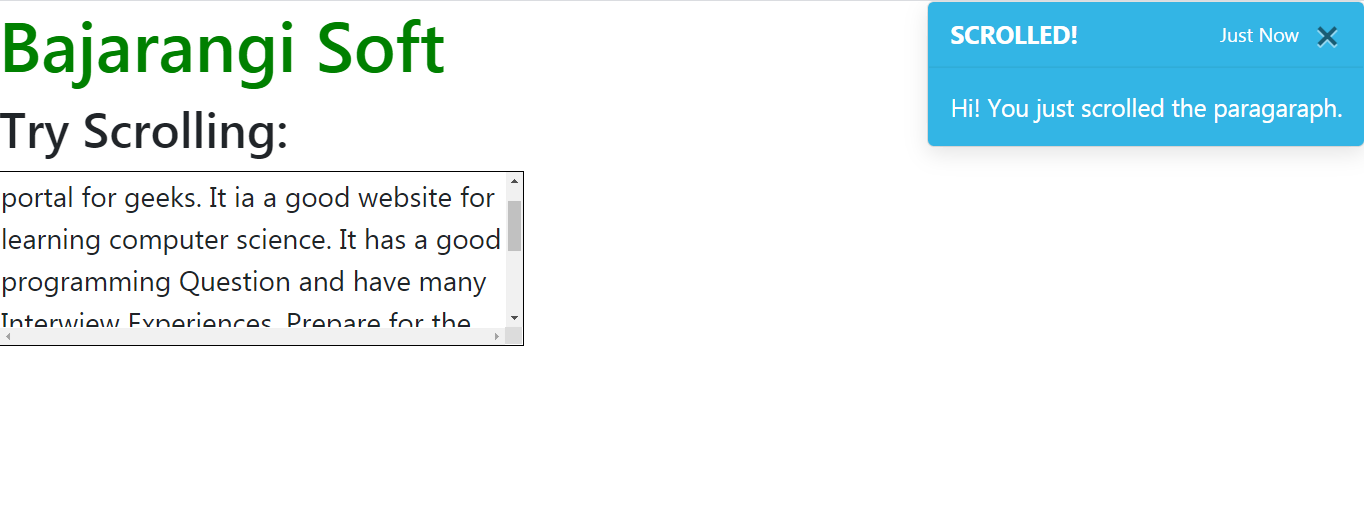
Example: Creating Bootstrap Notification/Toast. In this example we will show a push notification when the user scrolls the <div> in the page. To create a bootstrap toast we need to use the toast class on a division and add two divisions inside it with classes toast-header and toast-body.
Example-1
<!DOCTYPE html>
<html lang="en">

<head>
    <title>How to load notification alert on top right corner without click of button in bootstrap ?</title>

    <meta charset="utf-8">
    <meta name="viewport" content="width=device-width, initial-scale=1">
    <link rel="stylesheet" href="https://maxcdn.bootstrapcdn.com/bootstrap/4.3.1/css/bootstrap.min.css">
    <script src="https://ajax.googleapis.com/ajax/libs/jquery/3.4.1/jquery.min.js"></script>
    <script src="https://cdnjs.cloudflare.com/ajax/libs/popper.js/1.14.7/umd/popper.min.js"></script>
    <script src="https://maxcdn.bootstrapcdn.com/bootstrap/4.3.1/js/bootstrap.min.js"></script>

    <style>
        #notification {
            position: absolute;
            top: 0;
            right: 0;
        }
        #para {
            border: 1px solid black;
            width: 300px;
            height: 100px;
            overflow: scroll;
        }
        .toast-color {
            color: white;
            background-color: #33b5e5;
        }
        h1 {
            color:green;
        }
    </style>
</head>

<body>
<h1>Bajarangi Soft</h1>

<h3>Try Scrolling:</h3>

<div id="para">
    <b>Bajarangi Soft:</b> A computer science portal
    for geeks. It ia a good website for learning
    computer science. It has a good programming
    Question and have many Interwiew Experiences.
    Prepare for the Recruitment drive of product
    based companies like Microsoft, Amazon, Adobe
    etc with a free online placement preparation
    course.
</div>

<div class="toast toast-color" id="notification"
     data-delay="3000">
    <div class="toast-header toast-color">
        <strong class="mr-auto">SCROLLED!</strong>
        <small>Just Now</small>

        <button type="button" class="ml-2 mb-1 close"
                data-dismiss="toast" aria-label="Close">
            <span aria-hidden="true">×</span>
        </button>
    </div>

    <div class="toast-body">
        Hi! You just scrolled the paragaraph.
    </div>
</div>

<script>
    $(document).ready(function() {
        $("#para").scroll(function() {
            $('.toast').toast('show');
        });
    });
</script>
</body>

</html>