
 Posted By
Bajarangi soft ,
Posted On 06-10-2020
Posted By
Bajarangi soft ,
Posted On 06-10-2020
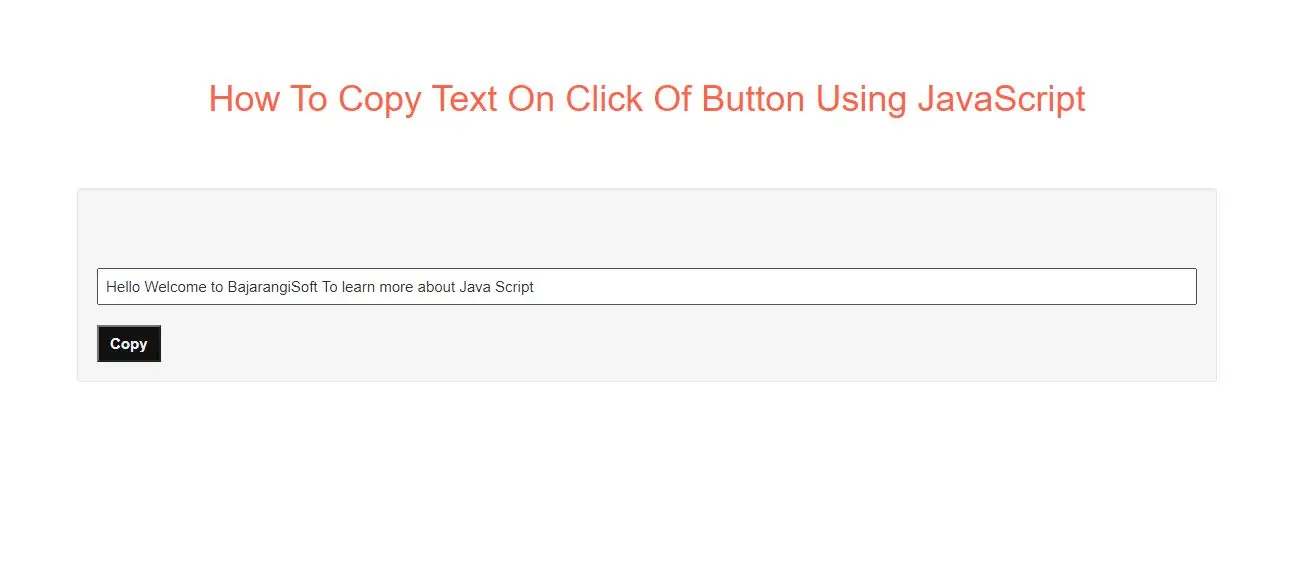
Step 1: Create index.html and implement below code.
<!-- text input field -->
<input id="inputText" type="text" value="Hello Welcome to BajarangiSoft To learn more about Java Script"/><br><br>

<!-- button -->
<button id="copyText" onclick="copy_text()">Copy</button>
<script>
    function copy_text(){
        /* return content of input field to variable text */
        var text = document.getElementById("inputText");

        /* return button to variable btn */
        var btn = document.getElementById("copyText");

        /* call function on button click */
        // btn.onclick = function() {
            text.select();
            document.execCommand("copy");
        // }
    }
</script>
<!DOCTYPE html>
<html>
<head>
    <title>How To Preview Image Before Submitting Form In JavaScript</title>
    <meta charset="utf-8">
    <meta name="viewport" content="width=device-width, initial-scale=1">
    <link rel="stylesheet" href="https://maxcdn.bootstrapcdn.com/bootstrap/3.4.1/css/bootstrap.min.css">
</head>
<style>
    #inputText {
        padding: 6px 7px;
        font-size: 15px;
        width: 100%;
    }

    /* styling button */
    #copyText {
        padding: 6px 11px;
        font-size: 15px;
        font-weight: bold;
        background-color: #121212;
        color: #efefef;
    }

</style>
<body>
<div class="container">
    <br>
    <div class="text-center">
        <h1 style="color: tomato">How To Preview Image Before Submitting Form In JavaScript</h1>
    </div>
    <div class="well">

        <!-- text input field -->
        <input id="inputText" type="text" value="Hello world Welcome to Bajarangisoft To Learn More About Java Script ">
        <br><br>
        <!-- button -->
        <button id="copyText" onclick="copy_text()">Copy</button>

    </div>

    <script>
        function copy_text() {
            /* return content of input field to variable text */
            var text = document.getElementById("inputText");

            /* return button to variable btn */
            var btn = document.getElementById("copyText");

            /* call function on button click */
            // btn.onclick = function() {
            text.select();
            document.execCommand("copy");
            // }
        }
    </script>
</div>
</body>
</html>