
 Posted By
Bajarangi soft ,
Posted On 16-10-2020
Posted By
Bajarangi soft ,
Posted On 16-10-2020
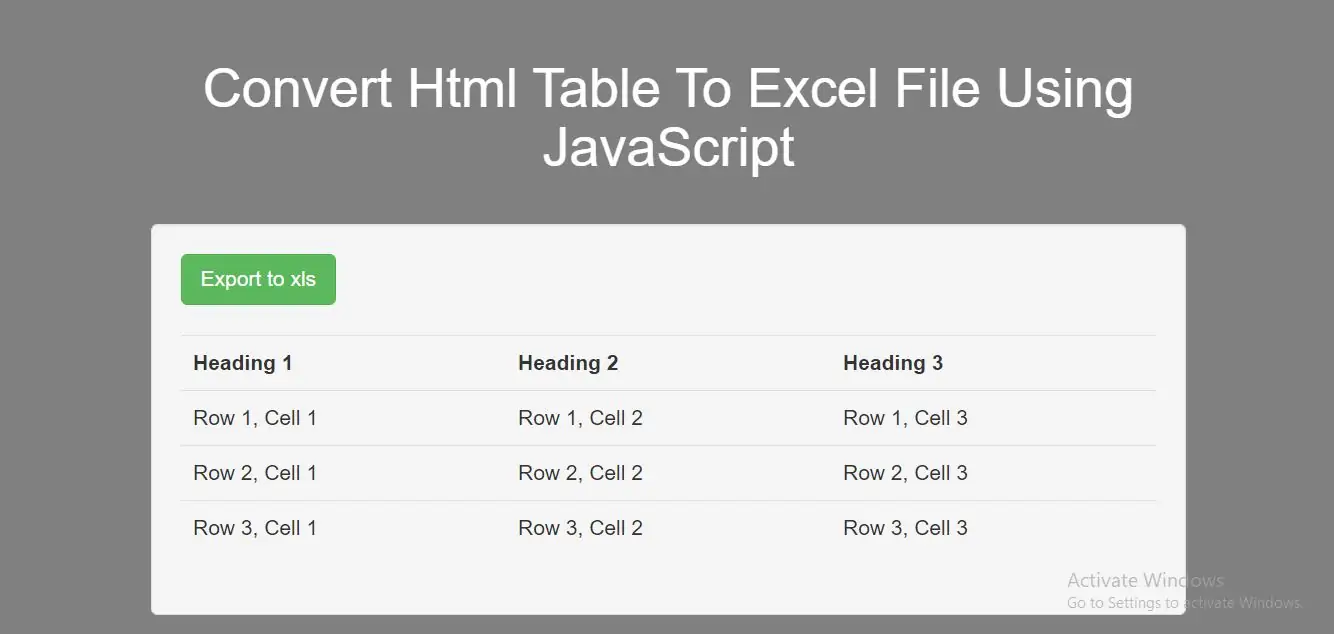
Step 1:Create index.html file and implement below code.
<button class="btn btn-success" id="btnExport" onClick="fnExcelReport()">Export to xls</button>
<br />
<br />

<table id="theTable">
    <tbody>
    <tr class="header">
        <th>Heading 1</th>
        <th>Heading 2</th>
        <th>Heading 3</th>
    </tr>
    <tr>
        <td>Row 1, Cell 1</td>
        <td>Row 1, Cell 2</td>
        <td>Row 1, Cell 3</td>
    </tr>
    <tr>
        <td>Row 2, Cell 1</td>
        <td>Row 2, Cell 2</td>
        <td>Row 2, Cell 3</td>
    </tr>
    <tr>
        <td>Row 3, Cell 1</td>
        <td>Row 3, Cell 2</td>
        <td>Row 3, Cell 3</td>
    </tr>
    </tbody>
</table>

<iframe id="dummyFrame" style="display:none"></iframe>
<script>
    function fnExcelReport() {
        var table = document.getElementById('theTable'); // id of table
        var tableHTML = table.outerHTML;
        var fileName = 'download.xls';

        var msie = window.navigator.userAgent.indexOf("MSIE ");

        // If Internet Explorer
        if (msie > 0 || !!navigator.userAgent.match(/Trident.*rv\:11\./)) {
            dummyFrame.document.open('txt/html', 'replace');
            dummyFrame.document.write(tableHTML);
            dummyFrame.document.close();
            dummyFrame.focus();
            return dummyFrame.document.execCommand('SaveAs', true, fileName);
        }
        //other browsers
        else {
            var a = document.createElement('a');
            tableHTML = tableHTML.replace(/  /g, '').replace(/ /g, '%20'); // replaces spaces
            a.href = 'data:application/vnd.ms-excel,' + tableHTML;
            a.setAttribute('download', fileName);
            document.body.appendChild(a);
            a.click();
            document.body.removeChild(a);
        }
    }
</script>
<!DOCTYPE html>
<html>
<head>
    <title>How To Convert Html Table Into Excel File Using javascript</title>
    <meta charset="utf-8">
    <meta name="viewport" content="width=device-width, initial-scale=1">
    <link rel="stylesheet" href="https://maxcdn.bootstrapcdn.com/bootstrap/3.4.1/css/bootstrap.min.css">
    <script src="https://ajax.googleapis.com/ajax/libs/jquery/3.5.1/jquery.min.js"></script>
</head>
<style>
    body {
        background: grey;
    }
</style>
<body>
<div class="container">
    <br><br><br>
    <div class="text-center">
        <h1 id="color" style="color: White;">Convert Html Table To Excel File Using javascript</h1>
    </div>
    <br>
    <div class="col-md-2"></div>
    <div class="col-md-8">
        <div class="well">

            <button class="btn btn-success" id="btnExport" onClick="fnExcelReport()">Export to xls</button>
            <br />
            <br />

            <table class="table" id="theTable">
                <tbody>
                <tr class="header">
                    <th>Heading 1</th>
                    <th>Heading 2</th>
                    <th>Heading 3</th>
                </tr>
                <tr>
                    <td>Row 1, Cell 1</td>
                    <td>Row 1, Cell 2</td>
                    <td>Row 1, Cell 3</td>
                </tr>
                <tr>
                    <td>Row 2, Cell 1</td>
                    <td>Row 2, Cell 2</td>
                    <td>Row 2, Cell 3</td>
                </tr>
                <tr>
                    <td>Row 3, Cell 1</td>
                    <td>Row 3, Cell 2</td>
                    <td>Row 3, Cell 3</td>
                </tr>
                </tbody>
            </table>

            <iframe id="dummyFrame" style="display:none"></iframe>
        </div>
    </div>
    <div class="col-md-2"></div>
</div>
</body>
</html>
<script>
    function fnExcelReport() {
        var table = document.getElementById('theTable'); // id of table
        var tableHTML = table.outerHTML;
        var fileName = 'download.xls';

        var msie = window.navigator.userAgent.indexOf("MSIE ");

        // If Internet Explorer
        if (msie > 0 || !!navigator.userAgent.match(/Trident.*rv\:11\./)) {
            dummyFrame.document.open('txt/html', 'replace');
            dummyFrame.document.write(tableHTML);
            dummyFrame.document.close();
            dummyFrame.focus();
            return dummyFrame.document.execCommand('SaveAs', true, fileName);
        }
        //other browsers
        else {
            var a = document.createElement('a');
            tableHTML = tableHTML.replace(/  /g, '').replace(/ /g, '%20'); // replaces spaces
            a.href = 'data:application/vnd.ms-excel,' + tableHTML;
            a.setAttribute('download', fileName);
            document.body.appendChild(a);
            a.click();
            document.body.removeChild(a);
        }
    }
</script>