
 Posted By
Bajarangi soft ,
Posted On 08-10-2020
Posted By
Bajarangi soft ,
Posted On 08-10-2020
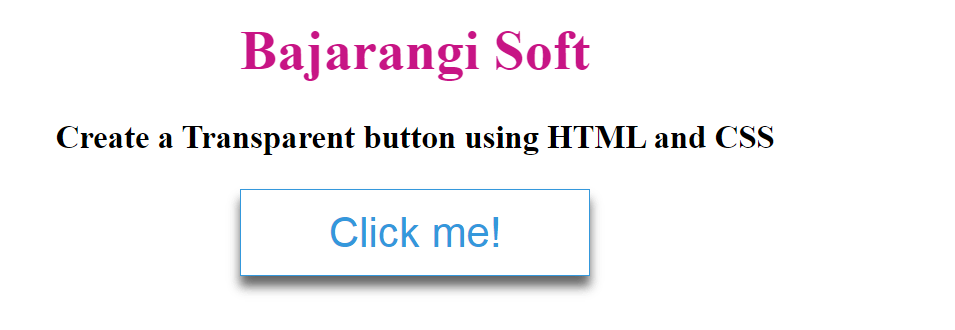
In this section, we will create a basic structure of button using the button Tag.
HTML Code:
<!DOCTYPE html>
<html lang="en">
<head>
    <meta charset="utf-8">
    <title>Create a Transparent button using HTML and CSS</title>
</head>

<body>
<h1>Bajarangi Soft</h1>
<h3>Create a Transparent button using HTML and CSS</h3>
<button class="btn">Click me!</button>
</body>

</html>
<style>
    body {
        margin: 0;
        padding: 0;
        text-align: center;
    }

    h1 {
        color: mediumvioletred;
    }

    /* Styling the button */
    .btn {
        cursor: pointer;
        border: 1px solid #3498db;
        background-color: transparent;
        height: 50px;
        width: 200px;
        color: #3498db;
        font-size: 1.5em;
        box-shadow: 0 6px 6px rgba(0, 0, 0, 0.6);
    }
</style>
<!DOCTYPE html>
<html lang="en">
<head>
    <meta charset="utf-8">
    <title>Create a Transparent button using HTML and CSS</title>
</head>
<style>
    body {
        margin: 0;
        padding: 0;
        text-align: center;
    }

    h1 {
        color: mediumvioletred;
    }

    /* Styling the button */
    .btn {
        cursor: pointer;
        border: 1px solid #3498db;
        background-color: transparent;
        height: 50px;
        width: 200px;
        color: #3498db;
        font-size: 1.5em;
        box-shadow: 0 6px 6px rgba(0, 0, 0, 0.6);
    }
</style>

<body>
<h1>Bajarangi Soft</h1>
<h3>Create a Transparent button using HTML and CSS</h3>
<button class="btn">Click me!</button>
</body>

</html>