
 Posted By
Bajarangi soft ,
Posted On 02-11-2020
Posted By
Bajarangi soft ,
Posted On 02-11-2020
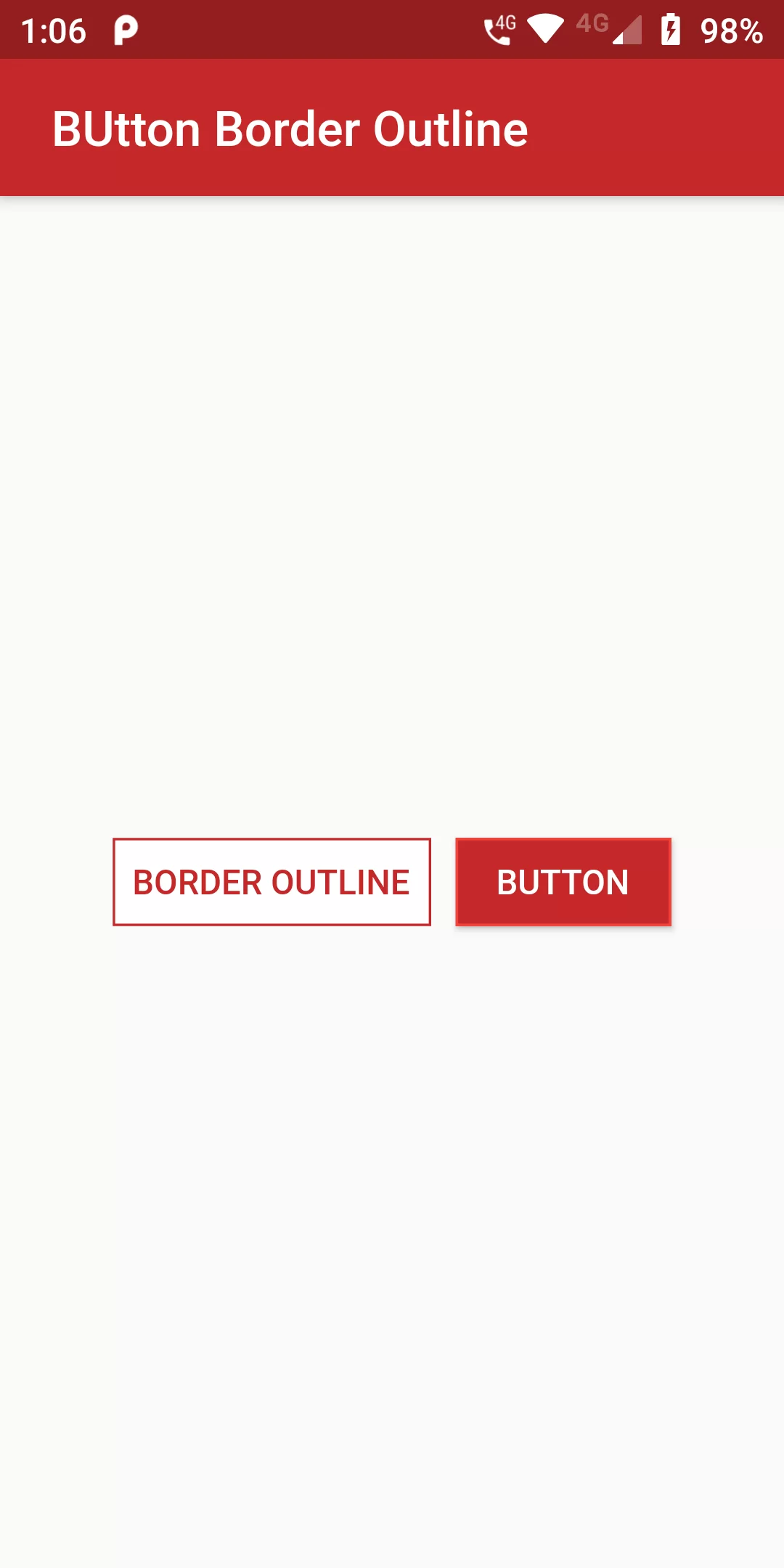
Button Border Outline
Complete Code For Button Border Outline In Flutter
main.dart
import 'package:flutter/material.dart';

void main(){
  runApp(MyApp());
}

class MyApp extends StatelessWidget {
  @override
  Widget build(BuildContext context) {
    return MaterialApp(
      debugShowCheckedModeBanner: false,
      home: MyHomePage(),
    );
  }
}

class MyHomePage extends StatefulWidget {
  @override
  _MyHomePageState createState() => _MyHomePageState();
}

class _MyHomePageState extends State<MyHomePage> {
  @override
  Widget build(BuildContext context) {
    return Scaffold(
      appBar: AppBar(
        backgroundColor: Colors.red[800],
        title: Text(" Button Border Outline"),
      ),
      body: Center(
          child: Row(
            mainAxisAlignment: MainAxisAlignment.center,
            children: <Widget>[
              FlatButton(
                shape: RoundedRectangleBorder(
                    side: BorderSide(color: Colors.red[800])),
                color: Colors.white,
                textColor: Colors.red[800],
                padding: EdgeInsets.all(8.0),
                onPressed: () {},
                child: Text(
                  "Border Outline".toUpperCase(),
                  style: TextStyle(
                    fontSize: 14.0,
                  ),
                ),
              ),
              SizedBox(width: 10),
              RaisedButton(
                shape: RoundedRectangleBorder(
                    side: BorderSide(color: Colors.red)),
                onPressed: () {},
                color: Colors.red[800],
                textColor: Colors.white,
                child: Text("Button".toUpperCase(),
                    style: TextStyle(fontSize: 14)),
              ),
            ],
          )),
    );
  }
}