
 Posted By
Bajarangi soft ,
Posted On 05-11-2020
Posted By
Bajarangi soft ,
Posted On 05-11-2020
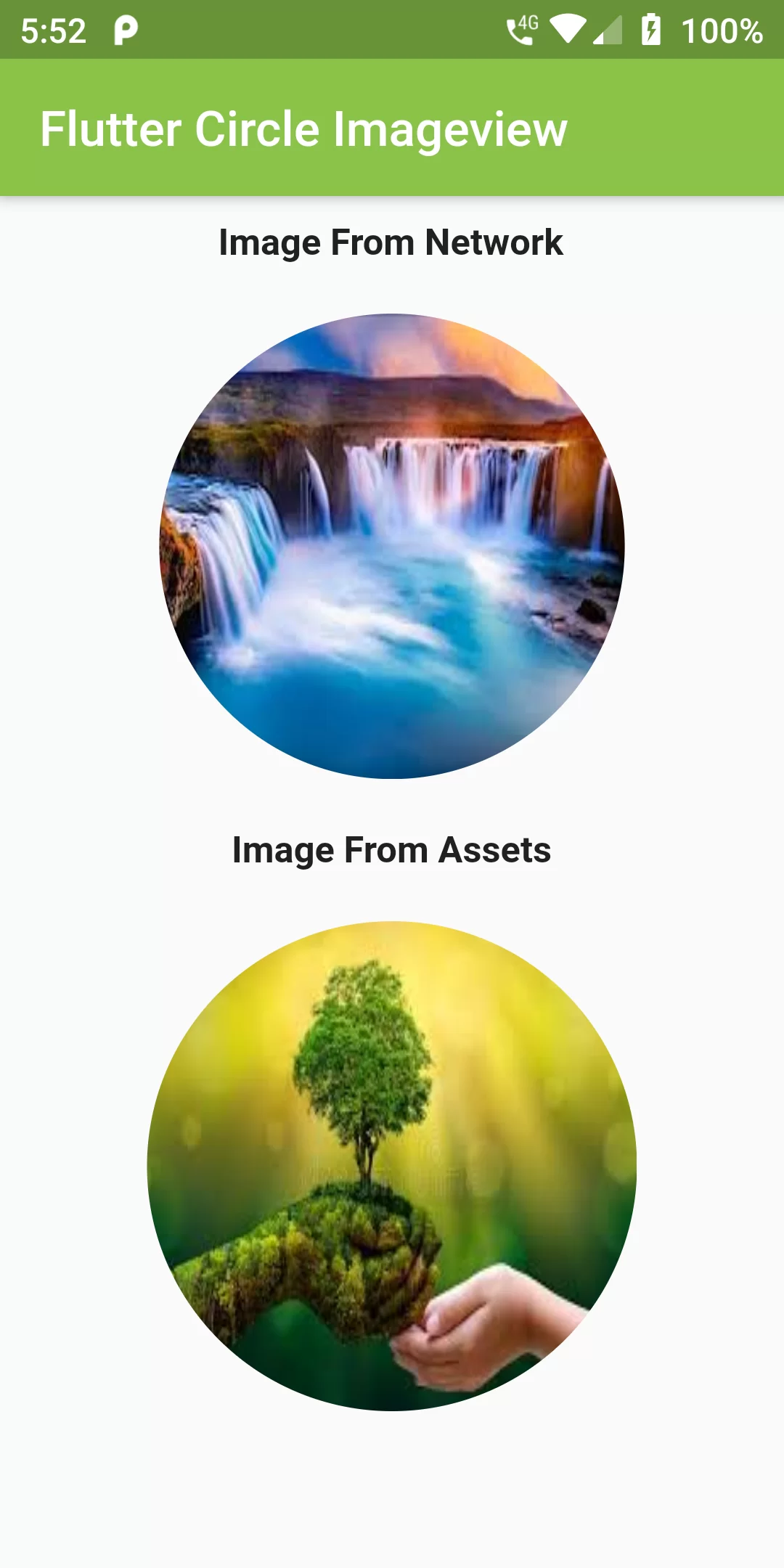
Circle Imageview
Complete Code For Circle Imageview In Flutter
main.dart
import 'package:flutter/material.dart';
void main() {
  runApp(MyApp());
}

class MyApp extends StatelessWidget {
  @override
  Widget build(BuildContext context) {
    return MaterialApp(
      debugShowCheckedModeBanner: false,
        title: 'Flutter Circle Imageview',
        theme: ThemeData(
            fontFamily: 'sriracha'
        ),
        home: Scaffold(
          appBar: AppBar(
            backgroundColor: Colors.lightGreen,
            title: Text("Flutter Circle Imageview"
            ),),
          body: Center(
            child: Container(
              child: Expanded(
                  child: Column(
                    children: [
                      SizedBox(height: 10,),
                      Text("Image From Network",
                        style: TextStyle(
                          fontWeight: FontWeight.bold,
                          fontSize: 15
                        ),),
                      SizedBox(height: 20,),
                      Container(
                          width: 190.0,
                          height: 190.0,
                          decoration: new BoxDecoration(
                              shape: BoxShape.circle,
                              image: new DecorationImage(
                                  fit: BoxFit.fill,
                                  image: new NetworkImage(
                                      "https://encrypted-tbn0.gstatic.com/images?q=tbn%3AANd9GcQ0JhaimSD1ayvA9vffVRcueFMd8MqD5cJH9A&usqp=CAU")
                              )
                          )),
                      SizedBox(height: 20),
                      Text("Image From Assets",
                        style: TextStyle(
                            fontWeight: FontWeight.bold,
                            fontSize: 15
                        ),
                      ),
                      SizedBox(height: 20,),
                      Container(
                          width:200.0,
                          height: 200.0,
                          decoration: new BoxDecoration(
                              shape: BoxShape.circle,
                              image: new DecorationImage(
                                  fit: BoxFit.fill,
                                  image: new AssetImage(
                                      "assets/images/img.jpg")
                              )
                          )),
                    ],

                  )),
            ),
          ),)
    );
  }
}