
 Posted By
Bajarangi soft ,
Posted On 27-11-2020
Posted By
Bajarangi soft ,
Posted On 27-11-2020
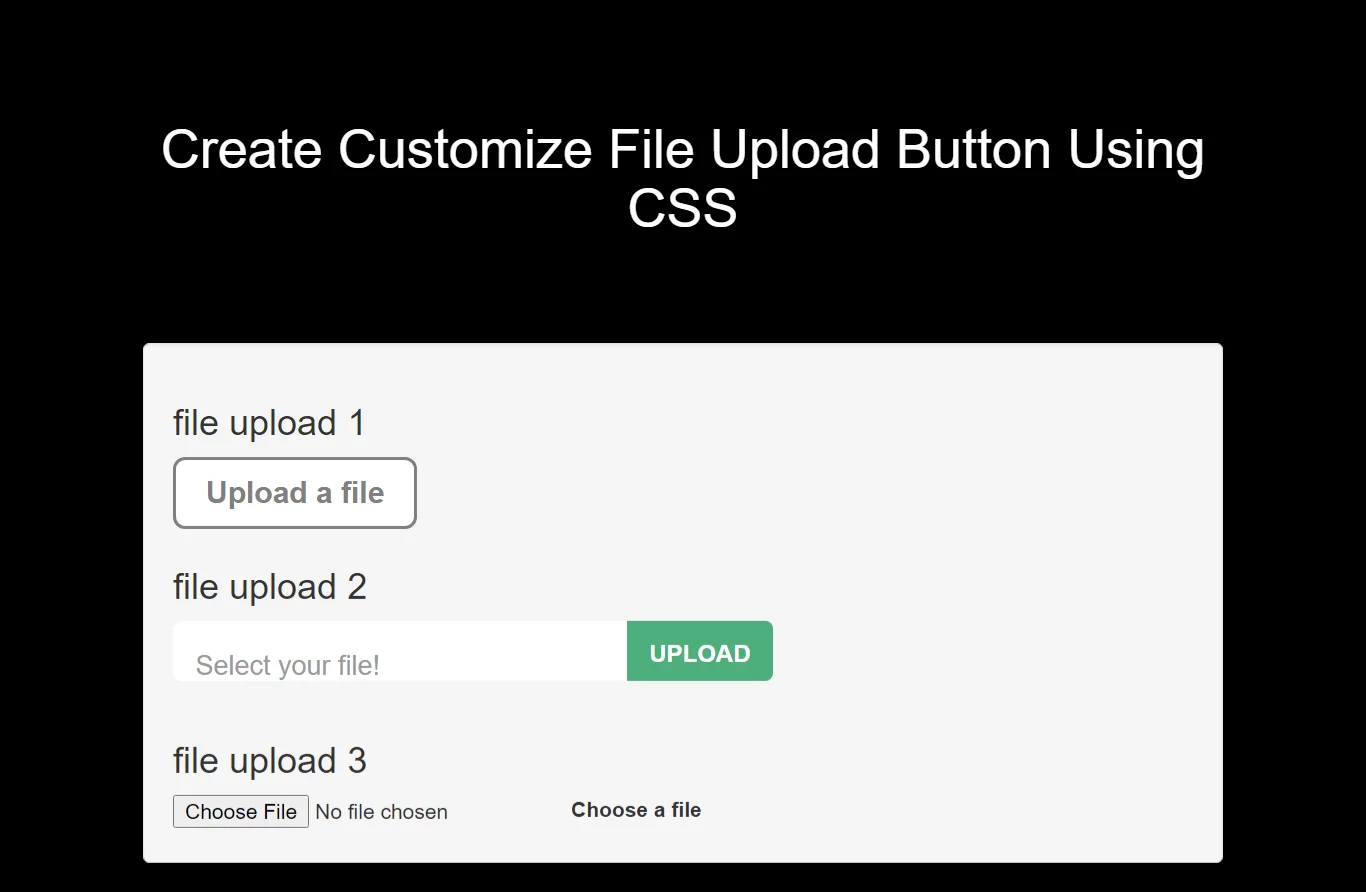
Complete Code For Creating Customize File Upload Button Using CSS.
<!DOCTYPE html>
<html>
<head>
    <title>How To Create Customize File Upload Button Using CSS</title>
    <meta name="viewport" content="width=device-width, initial-scale=1.0">
    <link href="//maxcdn.bootstrapcdn.com/bootstrap/3.3.0/css/bootstrap.min.css" rel="stylesheet">
    <script src="https://cdnjs.cloudflare.com/ajax/libs/jquery/2.1.3/jquery.min.js"></script>
</head>
<style>
    *{
        box-sizing: border-box;
    }
    body{
        background: black;
    }
    .upload-btn-wrapper {
        position: relative;
        overflow: hidden;
        display: inline-block;
    }

    .btn {
        border: 2px solid gray;
        color: gray;
        background-color: white;
        padding: 8px 20px;
        border-radius: 8px;
        font-size: 20px;
        font-weight: bold;
    }

    .upload-btn-wrapper input[type=file] {
        font-size: 100px;
        position: absolute;
        left: 0;
        top: 0;
        opacity: 0;
    }

    .form {
        width: 400px;
    }

    .file-upload-wrapper {
        position: relative;
        width: 100%;
        height: 60px;
    }
    .file-upload-wrapper:after {
        content: attr(data-text);
        font-size: 18px;
        position: absolute;
        top: 0;
        left: 0;
        background: #fff;
        padding: 10px 15px;
        display: block;
        width: calc(100% - 40px);
        pointer-events: none;
        z-index: 20;
        height: 40px;
        line-height: 40px;
        color: #999;
        border-radius: 5px 10px 10px 5px;
        font-weight: 300;
    }
    .file-upload-wrapper:before {
        content: 'Upload';
        position: absolute;
        top: 0;
        right: 0;
        display: inline-block;
        height: 40px;
        background: #4daf7c;
        color: #fff;
        font-weight: 700;
        z-index: 25;
        font-size: 16px;
        line-height: 44px;
        padding: 0 15px;
        text-transform: uppercase;
        pointer-events: none;
        border-radius: 0 5px 5px 0;
    }
    .file-upload-wrapper:hover:before {
        background: #3d8c63;
    }
    .file-upload-wrapper input {
        opacity: 0;
        position: absolute;
        top: 0;
        right: 0;
        bottom: 0;
        left: 0;
        z-index: 99;
        height: 40px;
        margin: 0;
        padding: 0;
        display: block;
        cursor: pointer;
        width: 100%;
    }
.wrapper{
    display: flex;
}
</style>
<body>
<br/><br/>
<div class="container">
    <br>
    <div class="text-center">
        <h1 id="color" style="color: white;">Create Customize File Upload Button Using CSS</h1>
    </div>
    <br><br><br>

 <div class="well">
     <h3>file upload one </h3>
     <div class="upload-btn-wrapper">
         <button class="btn">Upload a file</button>
         <input type="file" name="myfile" />
     </div>
     <h3>file upload two </h3>
         <form class="form">
             <div class="file-upload-wrapper" data-text="Select your file!">
                 <input name="file-upload-field" type="file" class="file-upload-field" value="">
             </div>
         </form>
     <h3>file upload two </h3>
     <div class="wrapper">
         <input type="file" name="file" id="file" class="inputfile" />
         <label for="file">Choose a file</label>
     </div>

 </div>
</div>
</body>
</html>
<script>
    $("form").on("change", ".file-upload-field", function(){
        $(this).parent(".file-upload-wrapper").attr("data-text",         $(this).val().replace(/.*(\/|\\)/, '') );
    });
</script>