
 Posted By
Bajarangi soft ,
Posted On 30-10-2020
Posted By
Bajarangi soft ,
Posted On 30-10-2020
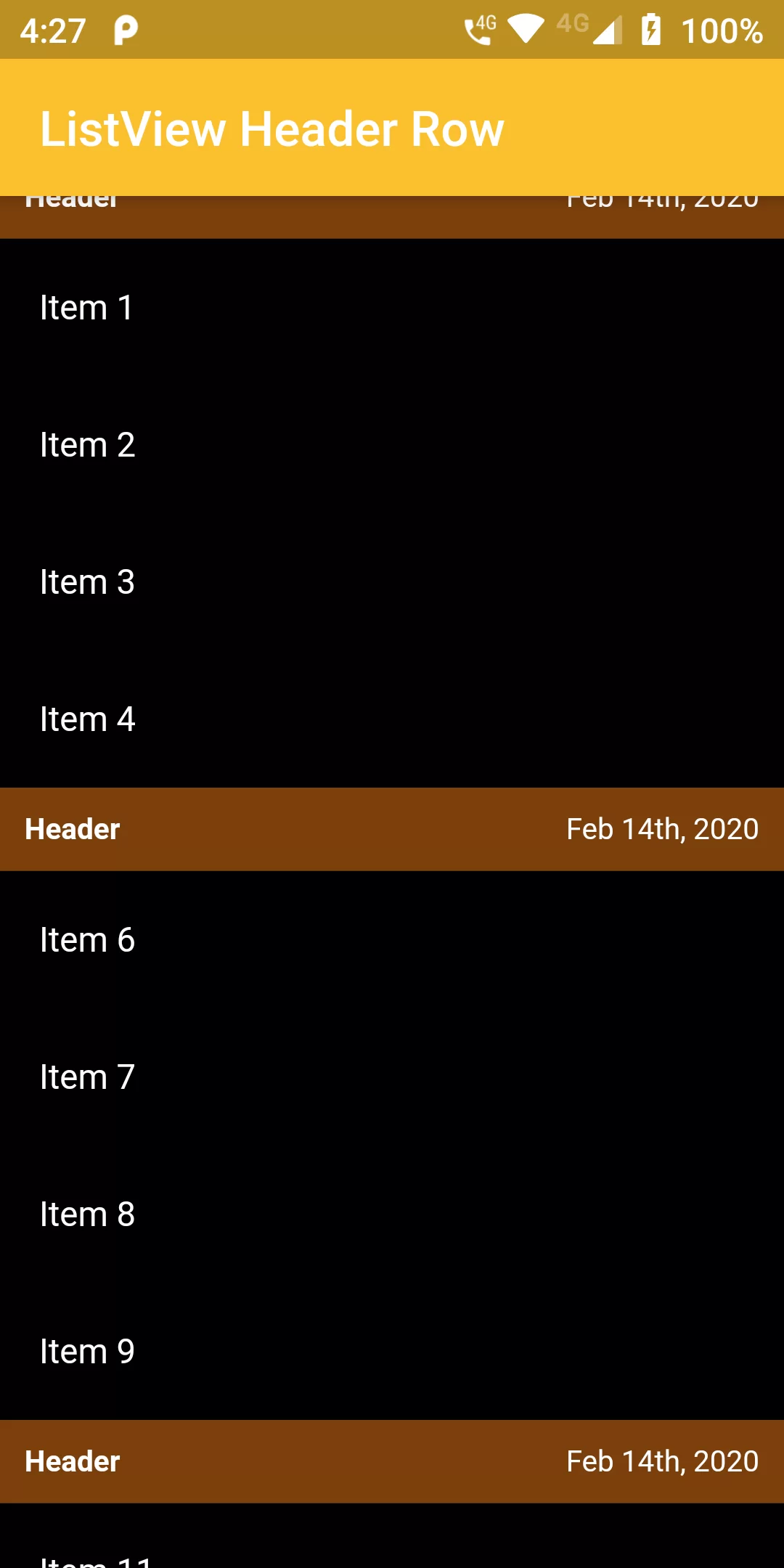
Listview Header Row
Complete Code For In Listview Header Row Flutter
main.dart
import 'package:flutter/material.dart';

void main() {
  runApp(MyApp());
}

class MyApp extends StatelessWidget {
  @override
  Widget build(BuildContext context) {
    return MaterialApp(
      debugShowCheckedModeBanner: false,
      title: 'URL Launcher',
      theme: ThemeData(
        primarySwatch: Colors.blue,
      ),
      home: MyHomePage(title: 'URL Launcher'),
    );
  }
}

class MyHomePage extends StatefulWidget {
  MyHomePage({Key key, this.title}) : super(key: key);
  final String title;

  @override
  _MyHomePageState createState() => _MyHomePageState();
}

class _MyHomePageState extends State<MyHomePage> {
  final List<int> _listData = List<int>.generate(100, (i) => i);
  @override
  Widget build(BuildContext context) {
    return Scaffold(
      backgroundColor: Colors.black,
      appBar: AppBar(
        backgroundColor: Colors.yellow[700],
        title: Text('ListView Header Row'),
      ),
      body: ListView(
        padding: EdgeInsets.all(0.0),
        children: _listData.map((i) {
          return i % 5 == 0
              ? Container(
            color: Colors.yellow[900].withOpacity(.5),
            child: Row(
              mainAxisAlignment: MainAxisAlignment.spaceBetween,
              mainAxisSize: MainAxisSize.max,
              children: <Widget>[
                Text("Header",
                    style: TextStyle(
                      fontSize: 12.0,
                      fontWeight: FontWeight.bold,
                      color: Colors.white
                    )),
                Text("Feb 14th, 2020",
                    style: TextStyle(
                      fontSize: 12.0,
                        color: Colors.white
                    )),
              ],
            ),
            padding: EdgeInsets.all(10.0),
          )
              : ListTile(
            title: Text("Item $i",style: TextStyle(color: Colors.white,fontSize: 14),),
          );
        }).toList(),
      ),
    );
  }
}