
 Posted By
Bajarangi soft ,
Posted On 05-10-2020
Posted By
Bajarangi soft ,
Posted On 05-10-2020
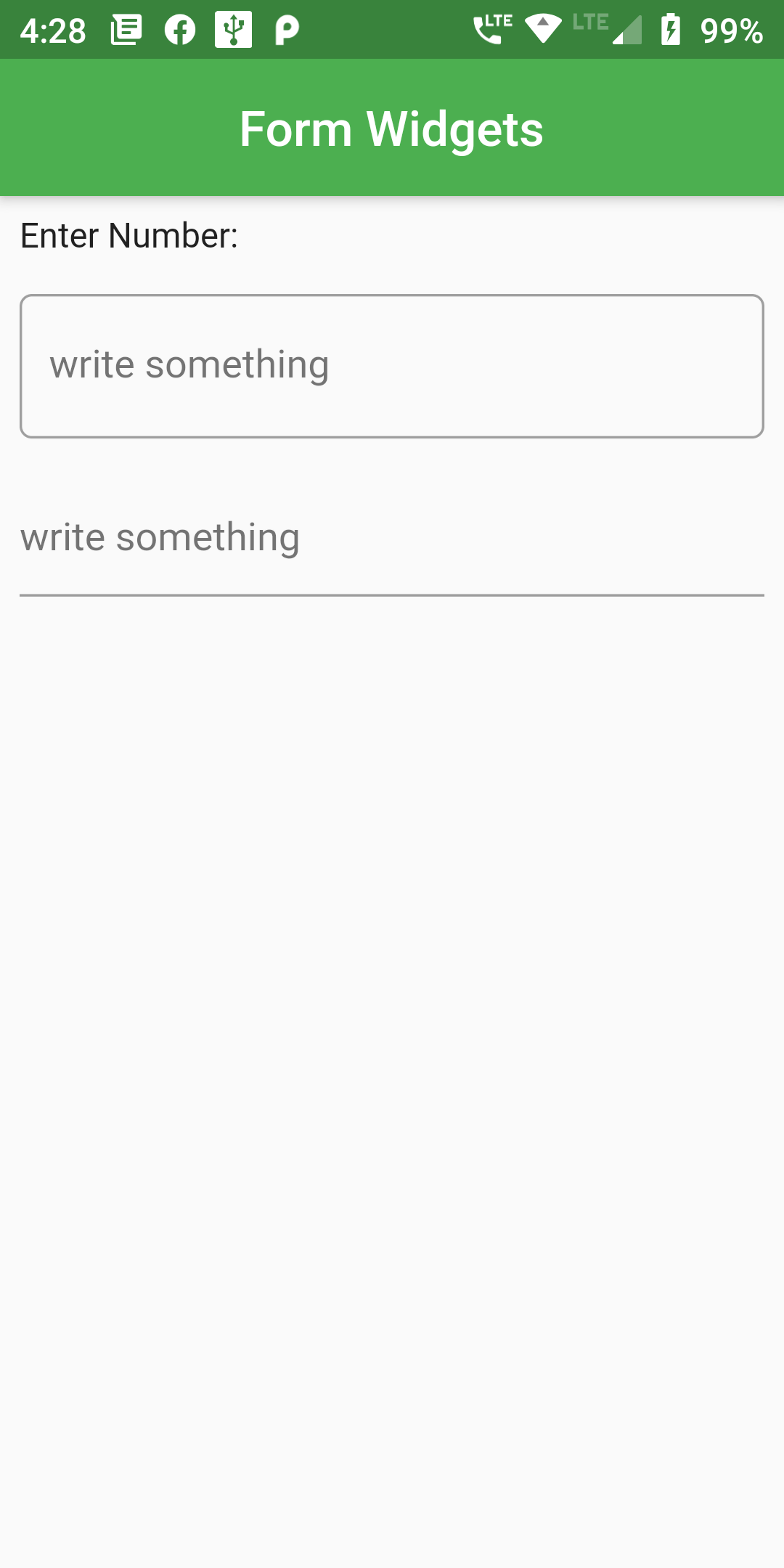
Complete Code For Number Input Field In Flutter
import 'dart:async';
import 'package:flutter/material.dart';
void main() {
  runApp(MyApp());
}

class MyApp extends StatelessWidget {
  @override
  Widget build(BuildContext context) {
    return MaterialApp(
      title: 'Form WIdget',
      theme: ThemeData(
        primarySwatch: Colors.green,
      ),
      home: MyHomePage(),
      debugShowCheckedModeBanner: false,
    );
  }
}

class MyHomePage extends StatelessWidget {
  @override
  Widget build(BuildContext context) {
    return Scaffold(
      appBar: AppBar(
        centerTitle: true,
          title:Text("Form Widgets")
      ),
      body:Column(
        children: [
          Padding(
            padding: const EdgeInsets.all(8.0),
            child: Container(
              alignment: Alignment.topLeft,
              child: Text("Enter Number:"),
            ),
          ),
          Padding(
            padding: const EdgeInsets.all(8.0),
            child: TextFormField(
              keyboardType: TextInputType.text,
              decoration: InputDecoration(
                  hintText: 'write something',
                  border: OutlineInputBorder(
                      borderSide: BorderSide(color: Colors.grey, width: 32.0),
                      borderRadius: BorderRadius.circular(5.0)
                  ),
                  focusedBorder: OutlineInputBorder(
                      borderSide: BorderSide(color: Colors.grey, width: 1.0),
                      borderRadius: BorderRadius.circular(5.0)
                  )
              ),
              onChanged: (value) {
                //Do something with this value
              },
            ),
          ),
          Padding(
            padding: const EdgeInsets.all(8.0),
            child: TextFormField(
              keyboardType: TextInputType.text,
              decoration: InputDecoration(
                  hintText: 'write something',
                  focusedBorder: OutlineInputBorder(
                      borderSide: BorderSide(color: Colors.grey, width: 1.0),
                      borderRadius: BorderRadius.circular(5.0)
                  )
              ),
              onChanged: (value) {
                //Do something with this value
              },
            ),
          ),
        ],
      )
    );
  }
}