
 Posted By
Bajarangi soft ,
Posted On 09-10-2020
Posted By
Bajarangi soft ,
Posted On 09-10-2020
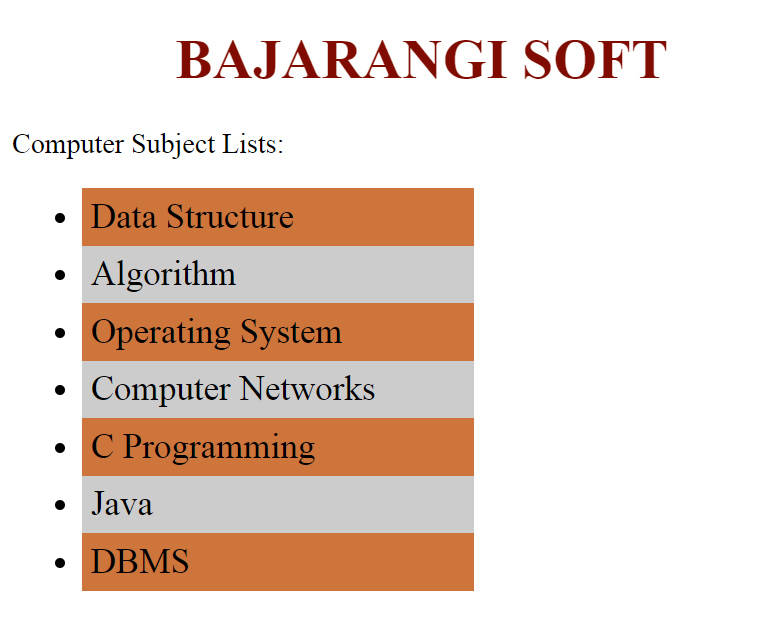
Use CSS property to create cursor to hand when user hovers over the list of items. First create list of items using HTML <ul> and <li> tag and then use CSS property :hover to cursor:grab; to make cursor to hand hover the list of items.
Syntax:
element:hover {
    cursor:grab/pointer;
}
<!DOCTYPE html>
<html>
<head>
    <title>make cursor to hand</title>
    <style>
        body {
            width:70%;
        }
        h1 {
            color: #800400;
            text-align:center;
        }
        li:hover{
            cursor:grab;
        }
    </style>
</head>
<body>
<h1>Bajarangi Soft</h1>
<div class = "sub">Computer Subject Lists:</div>
<ul>
    <li>Data Structure</li>
    <li>Algorithm</li>
    <li>Operating System</li>
    <li>Computer Networks</li>
    <li>C Programming</li>
    <li>Java</li>
    <li>DBMS</li>
</ul>
</body>
</html>
<!DOCTYPE html>
<html>
<head>
    <title>make cursor to hand</title>
    <style>
        body {
            width:60%;
        }
        h1 {
            color:green;
            text-align:center;
        }
        li {
            font-size:20px;
        }
        li:nth-child(2n+1) {
            background: green;
            cursor:grab;
            width:50%;
            padding:5px;
        }
        li:nth-child(2n+2) {
            background: #CCC;
            cursor:pointer;
            width:50%;
            padding:5px;
        }
    </style>
</head>
<body>
<h1>BAJARANGI SOFT</h1>
<div class = "sub">Computer  Subject Lists:</div>
<ul>
    <li>Data Structure</li>
    <li>Algorithm</li>
    <li>Operating System</li>
    <li>Computer Networks</li>
    <li>C Programming</li>
    <li>Java</li>
    <li>DBMS</li>
</ul>
</body>
</html>