
 Posted By
Bajarangi soft ,
Posted On 29-09-2020
Posted By
Bajarangi soft ,
Posted On 29-09-2020
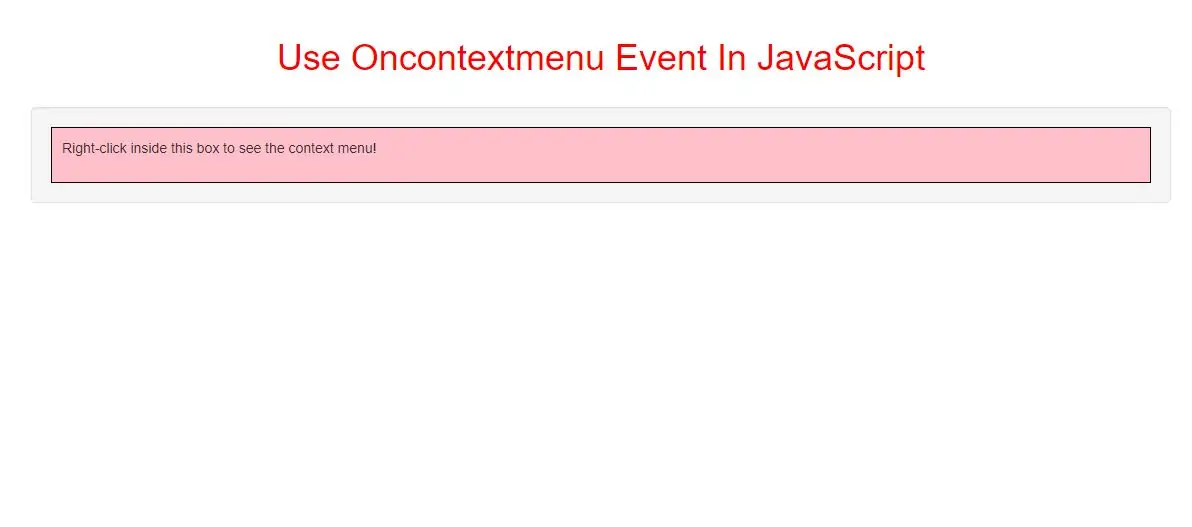
The oncontextmenu event occurs when the user right-clicks on an element to open the context menu.
Note: Although the oncontextmenu event is supported in all browsers, the contextmenu attribute is currently only supported in Firefox.
oncontextmenu event can also use for below HTML tags:
All HTML elements
<style>
    #color {
        background: pink;
        border: 1px solid black;
        padding: 10px;
    }

</style>
        <div id="color" oncontextmenu="right_click()" contextmenu="menu">
            <p>Right-click inside this box to see the context menu!

            <menu type="context" id="menu">
                <menuitem label="Refresh" onclick="window.location.reload();" icon="ico_reload.png"></menuitem>
                <menu label="Share on...">
                <menuitem label="Twitter" icon="ico_twitter.png" onclick="window.open('//twitter.com/intent/tweet?text=' +window.                         location.href);"></menuitem>
                    <menuitem label="Facebook" icon="ico_facebook.png" onclick="window.open('//facebook.com/sharer/sharer.php?u=' + window.location.href);"></menuitem>
                </menu>
                <menuitem label="Email This Page" onclick="window.location='mailto:?body='+window.location.href;"></menuitem>
            </menu>
</div>
<script>
    function right_click() {
        alert("You right-clicked inside the div!");
    }
</script>
<style>
    #color{
        background: lightblue;
        border: 1px solid black;
        padding: 10px;
    }
</style>


<div id="color" oncontextmenu="right_click()" contextmenu="menu">
    <p>Right-click inside this box to see the context menu!

    <menu type="context" id="menu">
        <menuitem label="Refresh" onclick="window.location.reload();" icon="ico_reload.png"></menuitem>
        <menu label="Share on...">
            <menuitem label="Twitter" icon="ico_twitter.png" onclick="window.open('//twitter.com/intent/tweet?text=' + window.location.href);"></menuitem>
            <menuitem label="Facebook" icon="ico_facebook.png" onclick="window.open('//facebook.com/sharer/sharer.php?u=' + window.location.href);"></menuitem>
        </menu>
        <menuitem label="Email This Page" onclick="window.location='mailto:?body='+window.location.href;"></menuitem>
    </menu>
</div>

<h2 id="demo"></h2>

<script>
    function right_click() {
        var x = document.getElementById("demo");
        x.innerHTML = "You right-clicked inside div!";
        x.style.fontSize = "30px";
    }
</script>
<style>
    #DIV {
        background: lightseagreen;
        border: 1px solid black;
        padding: 10px;
        color:white;
    }
</style>
<div id="DIV" contextmenu="menu">
    <p>Right-click inside this box to see the context menu!

    <menu type="context" id="menu">
        <menuitem label="Refresh" onclick="window.location.reload();" icon="ico_reload.png"></menuitem>
        <menu label="Share on...">
            <menuitem label="Twitter" icon="ico_twitter.png" onclick="window.open('//twitter.com/intent/tweet?text=' + window.location.href);"></menuitem>
            <menuitem label="Facebook" icon="ico_facebook.png" onclick="window.open('//facebook.com/sharer/sharer.php?u=' + window.location.href);"></menuitem>
        </menu>
        <menuitem label="Email This Page" onclick="window.location='mailto:?body='+window.location.href;"></menuitem>
    </menu>

</div>

<h2 id="demo"></h2>

<script>
    document.getElementById("DIV").oncontextmenu = function() {right_click()};

    function right_click() {
        var x = document.getElementById("demo");
        x.innerHTML = "You right-clicked inside div!";
        x.style.fontSize = "30px";
    }
</script>
This example uses the HTML DOM to assign an "oncontextmenu" event to a div element.
<style>
    #DIV {
        background: lightseagreen;
        border: 1px solid black;
        padding: 10px;
        color:white;
    }
</style>

<div id="DIV" contextmenu="menu">
    <p>Right-click inside this box to see the context menu!

    <menu type="context" id="menu">
        <menuitem label="Refresh" onclick="window.location.reload();" icon="ico_reload.png"></menuitem>
        <menu label="Share on...">
            <menuitem label="Twitter" icon="ico_twitter.png" onclick="window.open('//twitter.com/intent/tweet?text=' + window.location.href);"></menuitem>
            <menuitem label="Facebook" icon="ico_facebook.png" onclick="window.open('//facebook.com/sharer/sharer.php?u=' + window.location.href);"></menuitem>
        </menu>
        <menuitem label="Email This Page" onclick="window.location='mailto:?body='+window.location.href;"></menuitem>
    </menu>

</div>

<h2 id="demo"></h2>

<script>
    document.getElementById("DIV").addEventListener("contextmenu", right_click);

    function right_click() {
        var x = document.getElementById("demo");
        x.innerHTML = "You right-clicked inside div!";
        x.style.fontSize = "30px";
    }
</script>
<!DOCTYPE html>
<html>
<head>
    <title>Use Oncontextmenu Event In JavaScript </title>
    <meta charset="utf-8">
    <meta name="viewport" content="width=device-width, initial-scale=1">
    <link rel="stylesheet" href="https://maxcdn.bootstrapcdn.com/bootstrap/3.4.1/css/bootstrap.min.css">
</head>
<style>
    h1{
        color: red;
    }
    #color {
        background: pink;
        border: 1px solid black;
        padding: 10px;
    }

</style>
<body>
<div class="container">
    <br>
    <br>
    <div class="text-center">
        <h1>Use Oncontextmenu Event In JavaScript </h1>
    </div>
    <br>
    <div class="well">
        <div id="color" oncontextmenu="myFunction()" contextmenu="mymenu">
            <p>Right-click inside this box to see the context menu!

            <menu type="context" id="mymenu">
                <menuitem label="Refresh" onclick="window.location.reload();" icon="ico_reload.png"></menuitem>
                <menu label="Share on...">
                    <menuitem label="Twitter" icon="ico_twitter.png" onclick="window.open('//twitter.com/intent/tweet?text=' + window.location.href);"></menuitem>
                    <menuitem label="Facebook" icon="ico_facebook.png" onclick="window.open('//facebook.com/sharer/sharer.php?u=' + window.location.href);"></menuitem>
                </menu>
                <menuitem label="Email This Page" onclick="window.location='mailto:?body='+window.location.href;"></menuitem>
            </menu>

        </div>
    </div>
</body>
</html>


<script>
    function myFunction() {
        alert("You right-clicked inside the div!");
    }
</script>