
 Posted By
Bajarangi soft ,
Posted On 08-10-2020
Posted By
Bajarangi soft ,
Posted On 08-10-2020
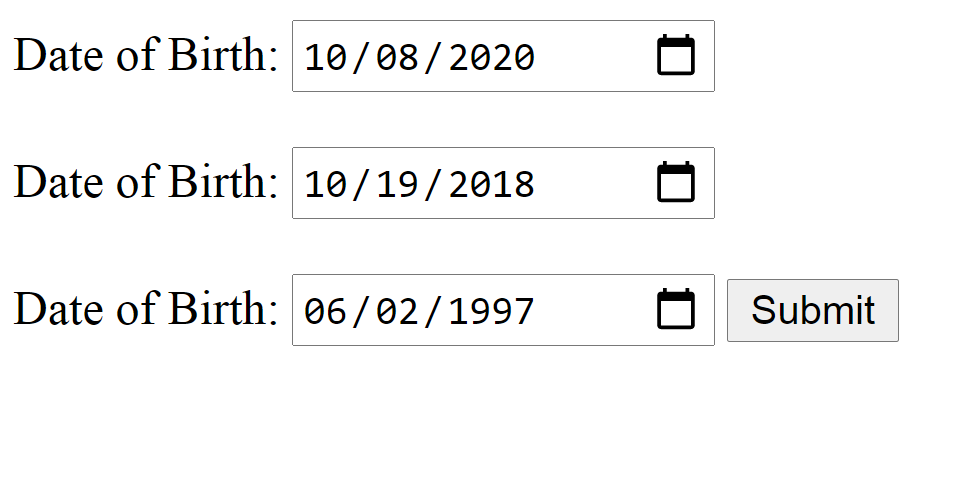
The date attribute in input tag creates a calendar to choose the date, which includes day, month and year.
Syntax:
<input type = "date">
<!DOCTYPE html>
<html>
<head>
    <title>Date Attribute</title>
</head>
<body>
<form action="/">
    Date of Birth: <input type = "date">
</form>
</body>
</html>
<head>
    <title>Date Attribute</title>
</head>
<body>
<form action="/">
    Date of Birth: <input type="date" value="2018-10-19">
</form>
</body>
</html>
<head>
    <title>Date Attribute</title>
</head>
<body>
Date of Birth:
<input type="date" id="dob">
<button onclick="dateDisplay()">Submit</button>
<p id="demo"></p>
<script>
    function dateDisplay() {
        var x = document.getElementById("dob").value;
        document.getElementById("demo").innerHTML = x;
    }
</script>
</body>
</html>