
 Posted By
Bajarangi soft ,
Posted On 01-10-2020
Posted By
Bajarangi soft ,
Posted On 01-10-2020
Anchor Object
The Anchor object represents an HTML <a> element.
Access an Anchor Object
You can access an <a> element by using getElementById():
Example(1)
<button class="btn btn-success" onclick="show_link()">Show Link</button>
<script>
    function show_link() {
        var x = document.createElement("A");
        var t = document.createTextNode("Bajarangisoft");
        x.setAttribute("href", "https://blog.bajarangisoft.com/blogs");
        x.appendChild(t);
        document.body.appendChild(x);
    }
</script>
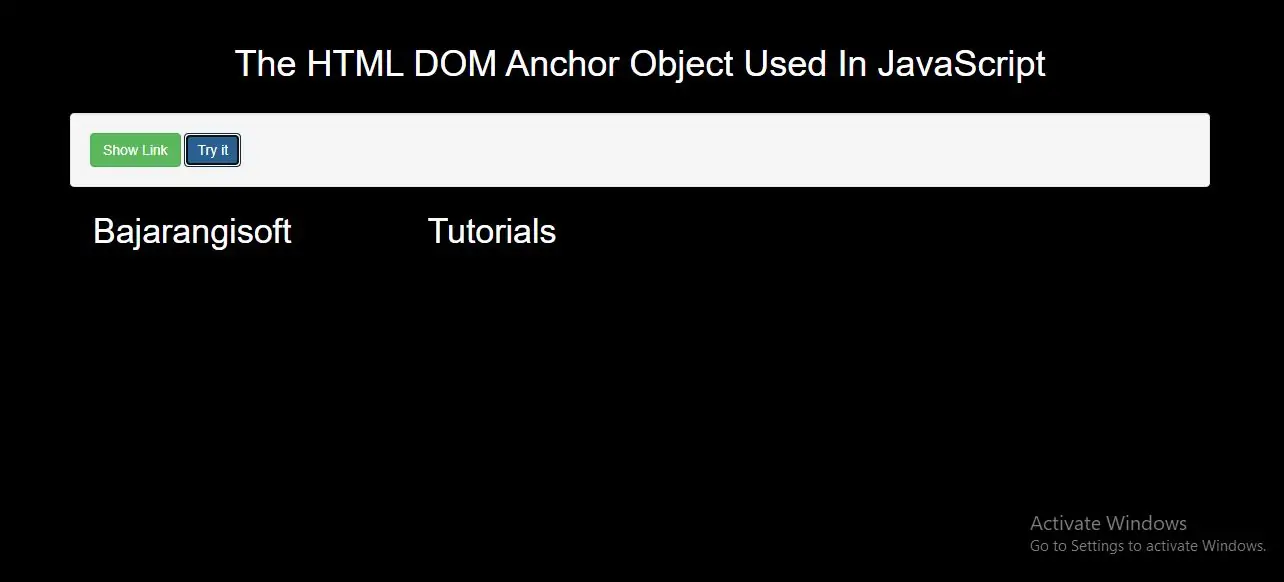
In above example when you click button it will create an A element with a link to Bajarangisoft.com.
Example(2)
<button class="btn btn-primary" onclick="myFunction()">Try it</button>
<script>
    function myFunction() {
        var x = document.createElement("A");
        var t = document.createTextNode("Tutorials");
        x.setAttribute("href", "https://blog.bajarangisoft.com/blogs");
        x.appendChild(t);
        document.body.appendChild(x);
    }
</script>
In above example when you click button it will create an A element with a link to Bajarangisoft.com.
Complete Code For The HTML DOM Anchor Object Used In JavaScript
<!DOCTYPE html>
<html>
<head>
    <title>The HTML DOM Anchor Object Used In JavaScript</title>
    <meta charset="utf-8">
    <meta name="viewport" content="width=device-width, initial-scale=1">
    <link rel="stylesheet" href="https://maxcdn.bootstrapcdn.com/bootstrap/3.4.1/css/bootstrap.min.css">
</head>
<style>
    h1 {
        color: White;

    }
body{
    background:black

}
a{
    margin-left: 136px;
    font-size: 34px;
    color: white;
}
</style>

<body>
<div class="container">
      <div class="text-center">
        <h1>The HTML DOM Anchor Object Used In JavaScript</h1>
    </div>
    <br>
   <div class="well">
       <button class="btn btn-success" onclick="show_link()">Show Link</button>
       <button class="btn btn-primary" onclick="myFunction()">Try it</button>
       <script>
           function show_link() {
               var x = document.createElement("A");
               var t = document.createTextNode("Bajarangisoft");
               x.setAttribute("href", "https://blog.bajarangisoft.com/blogs");
               x.appendChild(t);
               document.body.appendChild(x);
           }
           function myFunction() {
               var x = document.createElement("A");
               var t = document.createTextNode("Tutorials");
               x.setAttribute("href", "https://blog.bajarangisoft.com/blogs");
               x.appendChild(t);
               document.body.appendChild(x);
           }
       </script>
   </div>
</body>
</html>
Anchor Object Properties
| Property | Description |
|---|---|
| charset | Not supported in HTML5. Sets or returns the value of the charset attribute of a link |
| download | Sets or returns the value of the download attribute of a link |
| hash | Sets or returns the anchor part of the href attribute value |
| host | Sets or returns the hostname and port part of the href attribute value |
| hostname | Sets or returns the hostname part of the href attribute value |
| href | Sets or returns the value of the href attribute of a link |
| hreflang | Sets or returns the value of the hreflang attribute of a link |
| origin | Returns the protocol, hostname and port part of the href attribute value |
| name | Not supported in HTML5. Use element.id instead. Sets or returns the value of the name attribute of a link |
| password | Sets or returns the password part of the href attribute value |
| pathname | Sets or returns the pathname part of the href attribute value |
| port | Sets or returns the port part of the href attribute value |
| protocol | Sets or returns the protocol part of the href attribute value |
| rel | Sets or returns the value of the rel attribute of a link |
| rev | Not supported in HTML5. Sets or returns the value of the rev attribute of a link |
| search | Sets or returns the querystring part of the href attribute value |
| target | Sets or returns the value of the target attribute of a link |
| text | Sets or returns the text content of a link |
| type | Sets or returns the value of the type attribute of a link |
| username | Sets or returns the username part of the href attribute value |