
 Posted By
Bajarangi soft ,
Posted On 27-09-2020
Posted By
Bajarangi soft ,
Posted On 27-09-2020
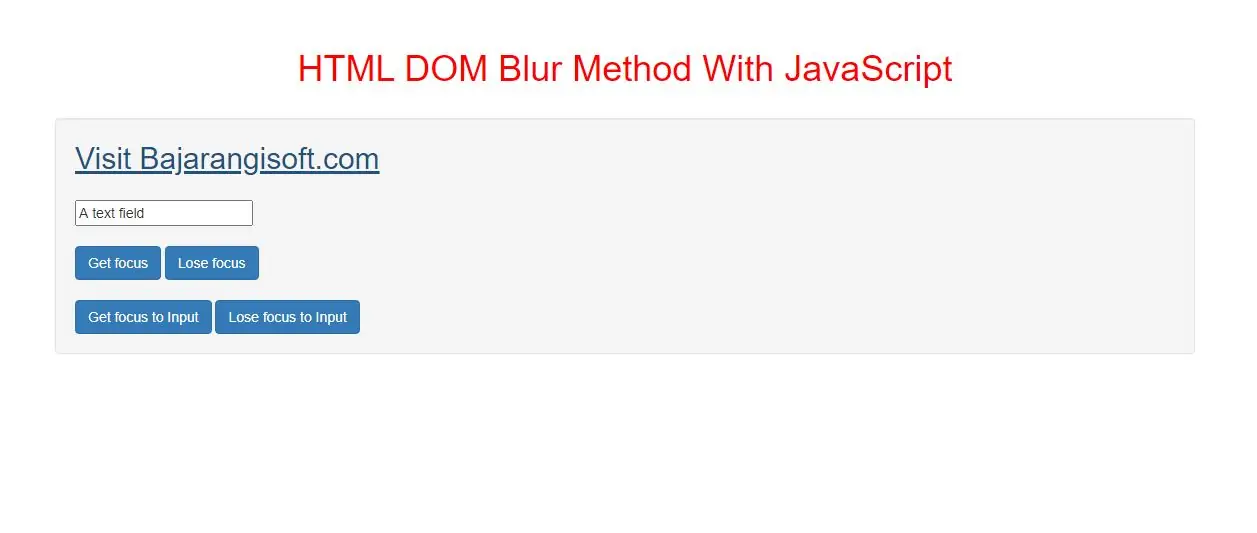
The blur() method is used to remove focus from an element.
Tip: Use the focus() method to give focus to an element.
Syntax and Usage
HTMLElementObject.blur()
<a id="Link" href="https://blog.bajarangisoft.com/blogs">Visit Bajarangisoft.com</a>

<input class="btn btn-primary" type="button" onclick="getfocus()" value="Get focus">
<input class="btn btn-primary" type="button" onclick="losefocus()" value="Lose focus">
<script>
    function getfocus() {
        document.getElementById("Link").focus();
    }

    function losefocus() {
        document.getElementById("Link").blur();
    }
</script>
<input type="text" id="Text" value="A text field">

<input class="btn btn-primary" type="button" onclick="getfocus()" value="Get focus">
<input class="btn btn-primary" type="button" onclick="losefocus()" value="Lose focus">
<script>
    function getfocus() {
        document.getElementById("Text").focus();
    }

    function losefocus() {
        document.getElementById("Text").blur();
    }
</script>
In above example when you click on button it will give focus and/or remove focus from the text field.
<!DOCTYPE html>
<html>
<head>
    <title>HTML DOM Blur Method With JavaScript</title>
    <meta charset="utf-8">
    <meta name="viewport" content="width=device-width, initial-scale=1">
    <link rel="stylesheet" href="https://maxcdn.bootstrapcdn.com/bootstrap/3.4.1/css/bootstrap.min.css">
</head>
<style>
    h1 {
        color: red;
    }
    a{
        font-size: 30px;
    }
</style>
<body>
<div class="container">
    <br>
    <br>
    <div class="text-center">
        <h1>HTML DOM Blur Method With JavaScript</h1>
    </div>
    <br>
    <div class="well">
        <a id="Link" href="https://blog.bajarangisoft.com/blogs">Visit Bajarangisoft.com</a>
        <br>
        <br>
        <input type="text" id="Text" value="A text field">
        <br>
        <br>
        <input class="btn btn-primary" type="button" onclick="getfocus()" value="Get focus">
        <input class="btn btn-primary" type="button" onclick="losefocus()" value="Lose focus">
        <br>
        <br>
        <input class="btn btn-primary" type="button" onclick="getfocus_input()" value="Get focus to Input">
        <input class="btn btn-primary" type="button" onclick="losefocus_input()" value="Lose focus to Input">
    </div>
    <br>
</div>
</body>
</html>
<script>
    function getfocus() {
        document.getElementById("Link").focus();
    }

    function losefocus() {
        document.getElementById("Link").blur();
    }

    function getfocus_input() {
        document.getElementById("Text").focus();
    }

    function losefocus_input() {
        document.getElementById("Text").blur();
    }
</script>