
 Posted By
Bajarangi soft ,
Posted On 30-09-2020
Posted By
Bajarangi soft ,
Posted On 30-09-2020
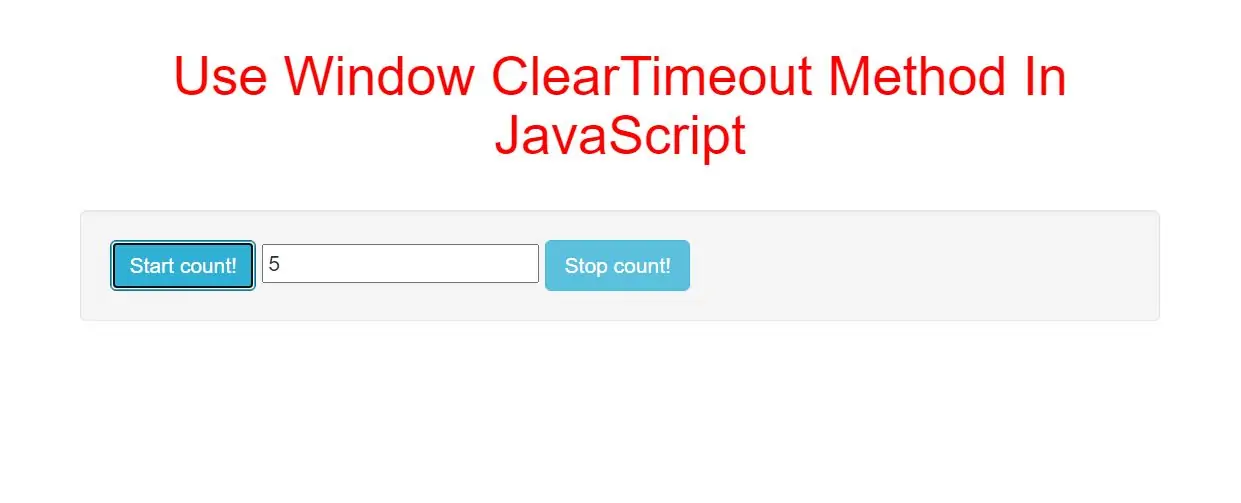
The clearTimeout() method clears a timer set with the setTimeout() method.
The ID value returned by setTimeout() is used as the parameter for the clearTimeout() method.
myVar = setTimeout("javascript function",milliseconds);
Then, if the function has not already been executed, you will be able to stop the execution by calling the clearTimeout() method.
Syntax and Usage
clearTimeout(id_of_settimeout)
Parameter Values
Parameter           Description
id_of_settimeout   Required. The ID value of the timer returned by the setTimeout() method
<button class="btn btn-primary" onclick="myFunction()">Try it</button>
<button class="btn btn-primary" onclick="myStopFunction()">Stop the alert</button>

<script>
    var Var;

    function myFunction() {
        Var = setTimeout(function(){ alert("Hello World"); }, 3000);
    }

    function myStopFunction() {
        clearTimeout(Var);
    }
</script>
<button class="btn btn-info" onclick="startCount()">Start count!</button>
<input type="text" id="txt">
<button class="btn btn-info" onclick="stopCount()">Stop count!</button>
<script>
    var c = 0;
    var t;
    var timer_is_on = 0;

    function timedCount() {
        document.getElementById("txt").value = c;
        c = c + 1;
        t = setTimeout(timedCount, 1000);
    }

    function startCount() {
        if (!timer_is_on) {
            timer_is_on = 1;
            timedCount();
        }
    }

    function stopCount() {
        clearTimeout(t);
        timer_is_on = 0;
    }
</script>
<!DOCTYPE html>
<html>
<head>
    <title>How To Use Window ClearTimeout Method In JavaScript</title>
    <meta charset="utf-8">
    <meta name="viewport" content="width=device-width, initial-scale=1">
    <link rel="stylesheet" href="https://maxcdn.bootstrapcdn.com/bootstrap/3.4.1/css/bootstrap.min.css">
</head>
<style>
    h1 {
        color: red;
    }
</style>

<body>
<div class="container">
    <br>
    <div class="text-center">
        <h1>Use Window ClearTimeout Method In JavaScript</h1>
    </div>
    <br>
   <div class="well">

       <button class="btn btn-info" onclick="startCount()">Start count!</button>
       <input type="text" id="txt">
       <button class="btn btn-info" onclick="stopCount()">Stop count!</button>
   </div>
</body>
</html>
<script>
    var c = 0;
    var t;
    var timer_is_on = 0;

    function timedCount() {
        document.getElementById("txt").value = c;
        c = c + 1;
        t = setTimeout(timedCount, 1000);
    }

    function startCount() {
        if (!timer_is_on) {
            timer_is_on = 1;
            timedCount();
        }
    }

    function stopCount() {
        clearTimeout(t);
        timer_is_on = 0;
    }
</script>