
 Posted By
Bajarangi soft ,
Posted On 07-11-2020
Posted By
Bajarangi soft ,
Posted On 07-11-2020
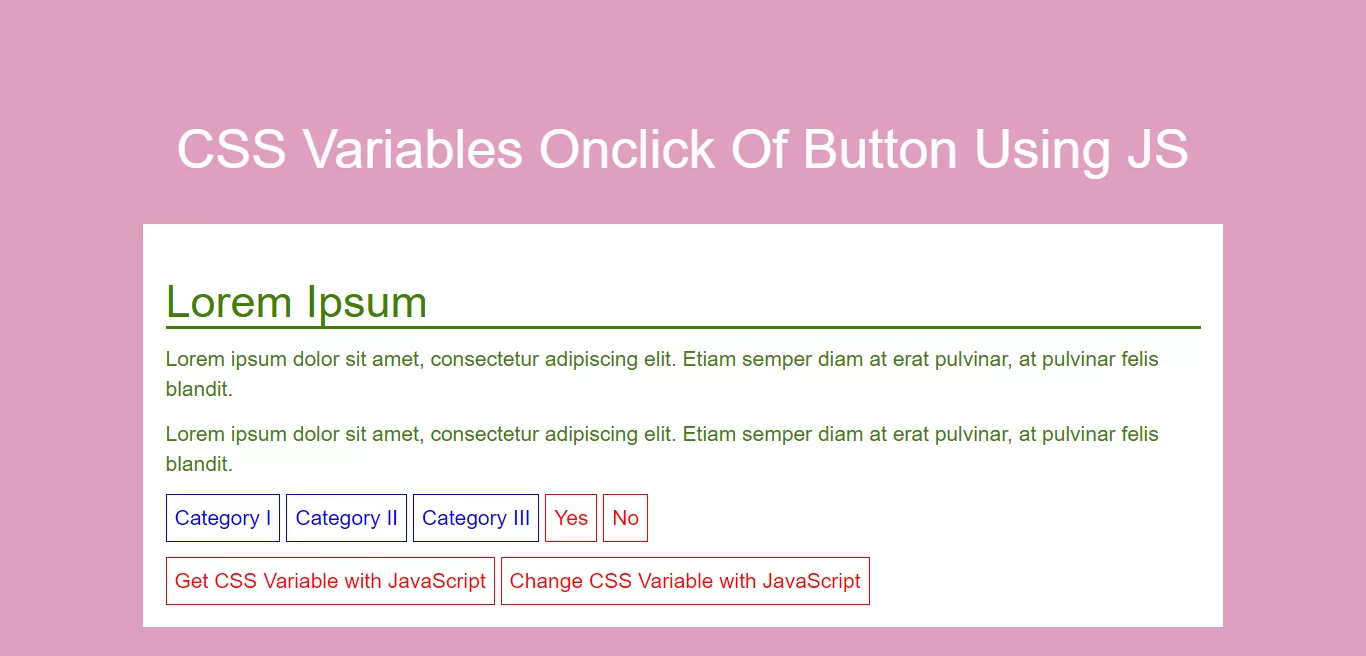
Complete Code For Changing Variables Onclick Of Button Using CSS.
<!DOCTYPE html>
<html>
<head>
    <title>How To Change CSS Variables Onclick Of Button Using JS</title>
    <meta name="viewport" content="width=device-width, initial-scale=1.0">
    <link rel="stylesheet" href="https://maxcdn.bootstrapcdn.com/bootstrap/3.3.6/css/bootstrap.min.css"/>
</head>

<style>

    :root {
        --blue: #1e90ff;
        --pink: #df9fbf;
        --white: #ffffff;
        --green: #408000;
    }

    body {
        background-color: var(--pink);
    }

    h2 {
        border-bottom: 2px solid var(--green);
    }

    .bg_container {
        color: var(--green);
        background-color: var(--white);
        padding: 15px;
    }

    button {
        background-color: var(--white);
        color: var(--blue);
        border: 1px solid var(--blue);
        padding: 5px;
    }

    .button1 {
        --button-blue: #0000ff;
        background-color: var(--white);
        color: var(--button-blue);
        border: 1px solid var(--button-blue);
        padding: 5px;
    }
</style>

<body>
<br/><br/>
<div class="container">
    <br>
    <div class="text-center">
        <h1 id="color" style="color: white;">CSS Variables Onclick Of Button Using JS</h1>
    </div>
    <br>
    <div class="bg_container">
        <h2>Lorem Ipsum</h2>
        <p>Lorem ipsum dolor sit amet, consectetur adipiscing elit. Etiam semper diam at erat pulvinar, at pulvinar
            felis blandit.</p>
        <p>Lorem ipsum dolor sit amet, consectetur adipiscing elit. Etiam semper diam at erat pulvinar, at pulvinar
            felis blandit.</p>
        <p>
            <button class="button1">Category I</button>
            <button class="button1">Category II</button>
            <button class="button1">Category III</button>
            <button>Yes</button>
            <button>No</button>
        </p>
        <button type="button" onclick="myFunction_get()">Get CSS Variable with JavaScript</button>
        <button type="button" onclick="myFunction_set()">Change CSS Variable with JavaScript</button>
    </div>
</div>
</body>
</html>
<script>
    // Get the root element
    var r = document.querySelector(':root');

    // Create a function for getting a variable value
    function myFunction_get() {
        // Get the styles (properties and values) for the root
        var rs = getComputedStyle(r);
        // Alert the value of the --blue variable
        alert("The value of --blue is: " + rs.getPropertyValue('--blue'));
    }

    // Create a function for setting a variable value
    function myFunction_set() {
        // Set the value of variable --blue to another value (in this case "lightblue")
        r.style.setProperty('--blue', 'red');
    }
</script>