
 Posted By
Bajarangi soft ,
Posted On 05-11-2020
Posted By
Bajarangi soft ,
Posted On 05-11-2020
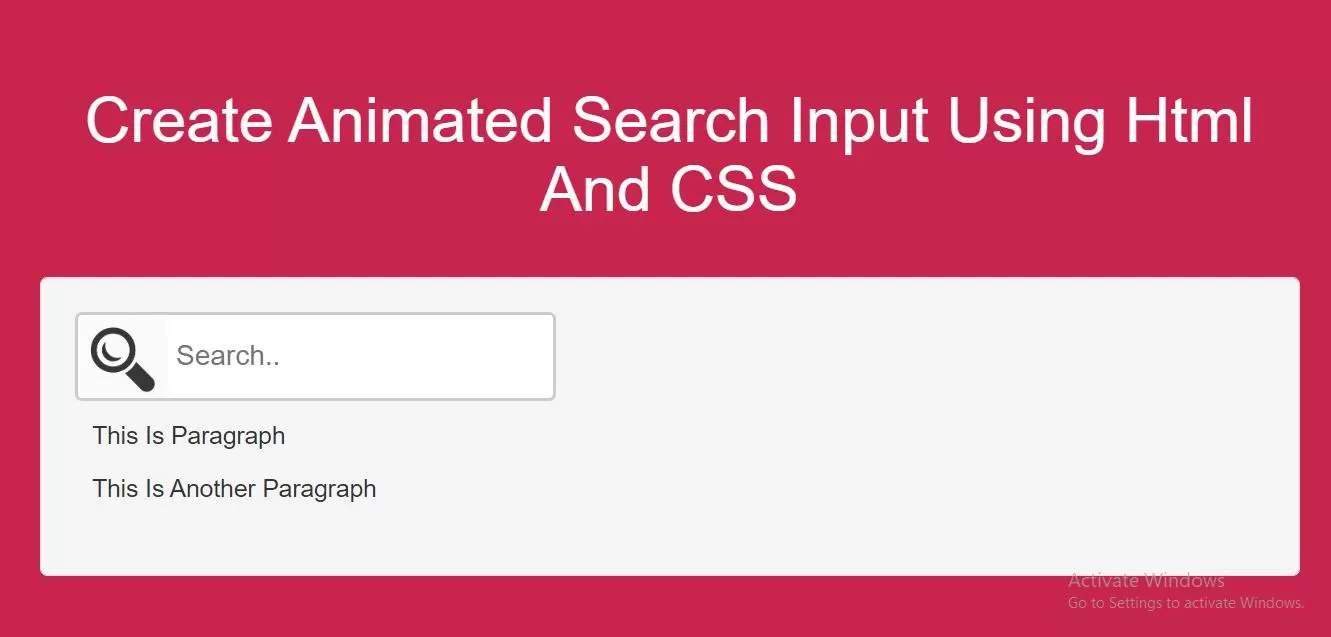
Complete Code For Creating Animated Search Input Using Html And CSS.
Create Index.html and implement below code in it.
<!DOCTYPE html>
<html>
<head>
    <title>How To Create Animated Search Input Using Html And CSS</title>
    <meta name="viewport" content="width=device-width, initial-scale=1.0">
    <link rel="stylesheet" href="https://maxcdn.bootstrapcdn.com/bootstrap/3.3.6/css/bootstrap.min.css"/>

</head>
<style>
    body {
        background: #c7254e;
    }
    input[type=text] {
        box-sizing: border-box;
        border: 2px solid #ccc;
        border-radius: 4px;
        font-size: 16px;
        background-color: white;
        background-image: url('../image/seicon.jpg');
        background-repeat: no-repeat;
        padding: 12px 20px 12px 56px;
        transition: width 0.4s ease-in-out;
        background-size: 52px;
    }

    input[type=text]:focus {
        width: 100%;
    }
    .div1{
        padding: 10px;
    }
</style>
<body>
<br/><br/>
<div class="container">
    <br>
    <div class="text-center">
        <h1 id="color" style="color: white;">Create Animated Search Input Using Html And CSS</h1>
    </div>
    <br>
    <div class="well">
        <form>
            <input type="text" name="search" placeholder="Search..">
        </form>
      <div class="div1">
          <p>This Is Paragraph</p>
          <p>This Is Another Paragraph</p>
      </div>
    </div>
    <br>
</div>
</body>
</html>