
 Posted By
Bajarangi soft ,
Posted On 17-09-2020
Posted By
Bajarangi soft ,
Posted On 17-09-2020
Creating Views
Views contain the HTML served by your application and separate your controller / application logic from your presentation logic. Views are stored in the resources/views directory. A simple view might look something like this:
<!-- View stored in resources/views/greeting.blade.php -->

<html>
    <body>
        <h1>Hello, {{ $name }}</h1>
    </body>
</html>
Since this view is stored at resources/views/greeting.blade.php, we may return it using the global view helper like so:
Route::get('/', function () {
    return view('greeting', ['name' => 'James']);
});
As you can see, the first argument passed to the view helper corresponds to the name of the view file in the resources/views directory. The second argument is an array of data that should be made available to the view. In this case, we are passing the name variable, which is displayed in the view using Blade syntax.
Views may also be nested within subdirectories of the resources/views directory. "Dot" notation may be used to reference nested views. For example, if your view is stored at resources/views/admin/profile.blade.php, you may reference it like so:
return view('admin.profile', $data);
Determining If A View Exists
If you need to determine if a view exists, you may use the View facade. The exists method will return true if the view exists:
use Illuminate\Support\Facades\View;

if (View::exists('emails.customer')) {
//
}
Creating The First Available View
Using the first method, you may create the first view that exists in a given array of views. This is useful if your application or package allows views to be customized or overwritten:
return view()->first(['custom.admin', 'admin'], $data);
You may also call this method via the View facade:
use Illuminate\Support\Facades\View;

return View::first(['custom.admin', 'admin'], $data);
<!DOCTYPE html>
<html>
<head>
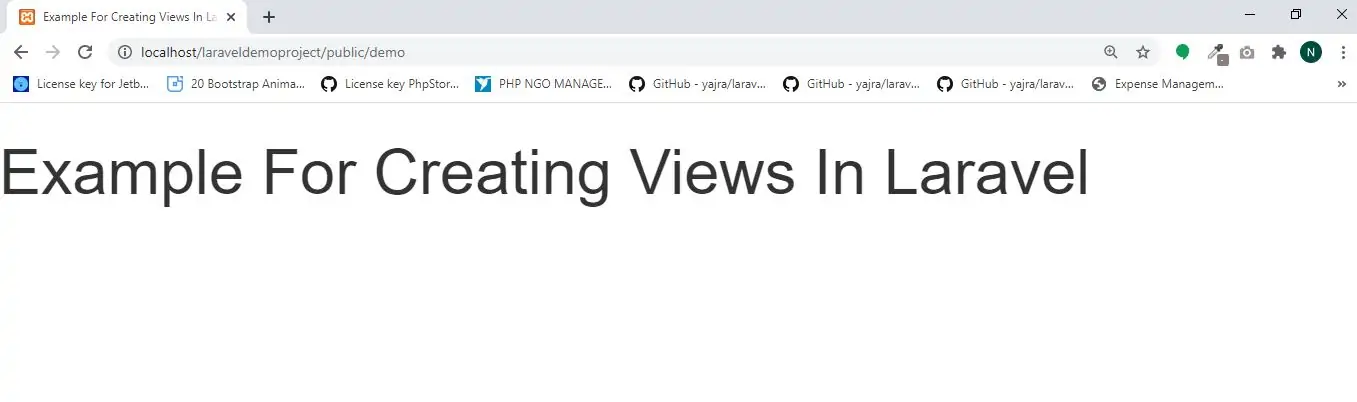
    <title>Example For Creating Views In Laravel </title>
    <meta charset="utf-8">
    <meta name="viewport" content="width=device-width, initial-scale=1">
    <link rel="stylesheet" href="https://maxcdn.bootstrapcdn.com/bootstrap/3.4.1/css/bootstrap.min.css">
</head>
<body>
<h1>Example For Creating Views In Laravel</h1>
</body>
</html>
Route::get('/demo', function() {
    return view('demo');
});
http://localhost/laraveldemoproject/public/demo