
 Posted By
Bajarangi soft ,
Posted On 15-01-2021
Posted By
Bajarangi soft ,
Posted On 15-01-2021
Creating Routes: In Laravel, all of our routes are going to be written in routes/web.php file as this directory is made standard for all our web-related routes. Open this file and let’s create our first route with Laravel, write to the end of this file.
Syntax: To write route is as given below:
// Syntax of a route
Route::request_type('/url', 'function()');
// Creating a new route
Route::get('/sayhello', function() {
    return 'Hey ! Hello';
})
<!DOCTYPE html>
<html lang="en">
<body>
    <h1>Hello! World.</h1>
</body>
</html>
// Creating a new route
Route::get('/viewhello', function() {
    return view('index');
});
Routes with controllers: Laravel provides us much more power than just writing a direct callback function. We can actually make our routes point to a function inside the controllers. To do so let’s manually create our controller first and call it mycontroller. Just go to app/Http/Controllers and create a file called mycontroller.php. Write following code in this file:
Program 1: Code written below is a basic controller code where we are just using Controllers namespace to add the capability to use it, it’s just like importing the libraries. Let’s add the function now:
<?php

namespace App\Http\Controllers;

use Illuminate\Http\Request;

class mycontroller extends Controller {
    // All the functions written here
    // can be used in routes
}
<?php

namespace App\Http\Controllers;

use Illuminate\Http\Request;

class mycontroller extends Controller {
    public function index() {
        return view('index2');
    }
}
<!DOCTYPE html>
<html lang="en">
<body>
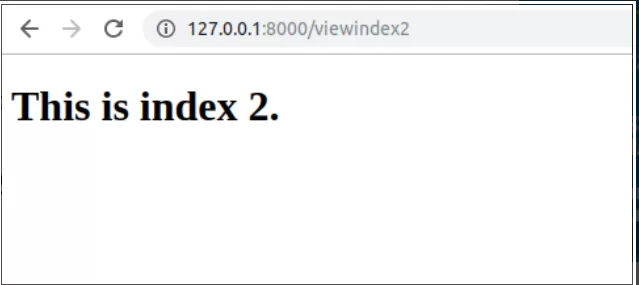
    <h1>This is index 2.</h1>
</body>
</html>
Route::request_type('/url', 'ControllerName@functionName');
Note: Here ControllerName is the name of controller and functionName is the name of the function to be used when a user visits that URL. Let’s follow this syntax and write our route in routes/web.php at the end of file:
Route::get('/viewindex2', 'mycontroller@index');