
 Posted By
Bajarangi soft ,
Posted On 01-10-2020
Posted By
Bajarangi soft ,
Posted On 01-10-2020
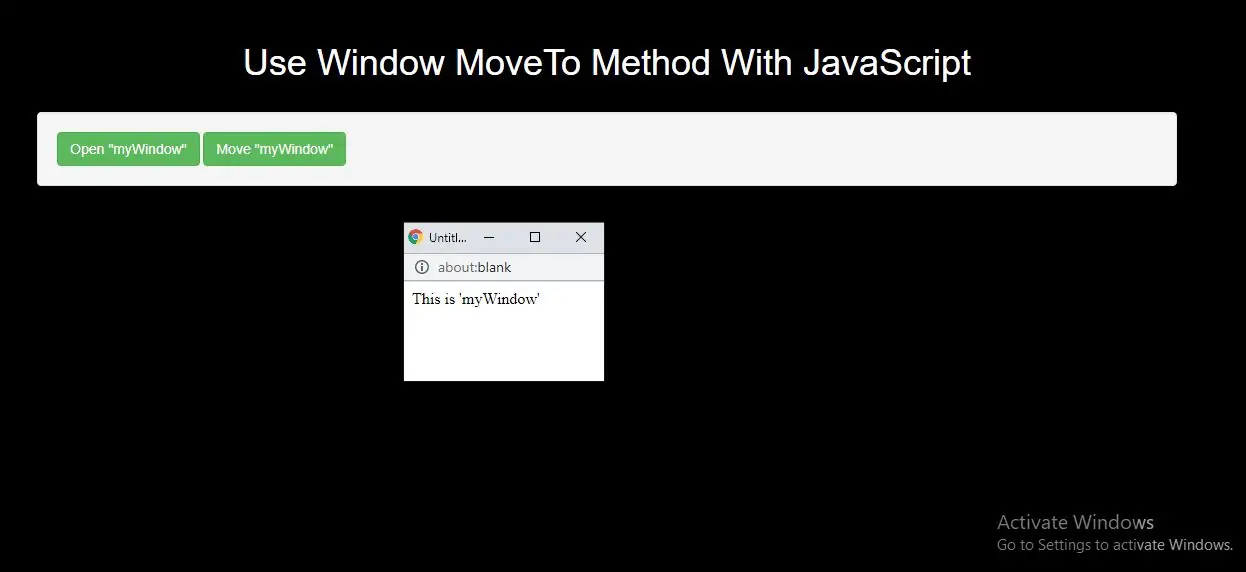
The moveTo() method moves a window's left and top edge to the specified coordinates.
Related methods:
Syntax and Usage
window.moveTo(x, y)
Parameter Values
Parameter   Type       Description
x           Number     Required. A positive or negative number that specifies the horizontal coordinate to be moved to
y           Number     Required. A positive or negative number specifies the vertical coordinate to be moved to
Example(1)
<button class="btn btn-success" onclick="openWin()">Open "myWindow"</button>
<button class="btn btn-success" onclick="moveWin()">Move "myWindow"</button>
<script>
    var myWindow;

    function openWin() {
        myWindow=window.open("", "myWindow", "width=200, height=100");
        myWindow.document.write("<p>This is 'myWindow'</p>");
    }

    function moveWin() {
        myWindow.moveTo(500, 100);
        myWindow.focus();
    }
</script>
In above example when you click button it will Open "myWindow" and move the new window to the top left corner of the screen.
Example(2)
<button class="btn btn-success" onclick="openWin()">Create new window</button>
<button class="btn btn-success" onclick="moveWinTo()">Move new window</button>
<button class="btn btn-success" onclick="moveWinBy()">Move the new window by 75 * 50px</button>

<script>
    var myWindow;

    function openWin() {
        myWindow = window.open("", "", "width=250, height=250");
    }

    function moveWinTo() {
        myWindow.moveTo(150, 150);
        myWindow.focus();
    }

    function moveWinBy() {
        myWindow.moveBy(75, 50);
        myWindow.focus();
    }
</script>
Complete Code For Use Window MoveTo Method With JavaScript
<!DOCTYPE html>
<html>
<head>
    <title>Use Window MoveTo Method With JavaScript</title>
    <meta charset="utf-8">
    <meta name="viewport" content="width=device-width, initial-scale=1">
    <link rel="stylesheet" href="https://maxcdn.bootstrapcdn.com/bootstrap/3.4.1/css/bootstrap.min.css">
</head>
<style>
    h1 {
        color: White;

    }
body{
    background:black

}
</style>

<body>
<div class="container">
    <br>
    <br>
    <br>

    <div class="text-center">
        <h1>Use Window MoveTo Method With JavaScript</h1>
    </div>
    <br>
   <div class="well">

       <button class="btn btn-success" onclick="openWin()">Open "myWindow"</button>
       <button class="btn btn-success" onclick="moveWin()">Move "myWindow"</button>
       <script>
           var myWindow;

           function openWin() {
               myWindow=window.open("", "myWindow", "width=200, height=100");
               myWindow.document.write("<p>This is 'myWindow'</p>");
           }

           function moveWin() {
               myWindow.moveTo(500, 100);
               myWindow.focus();
           }
       </script>
   </div>
</body>
</html>