
 Posted By
Bajarangi soft ,
Posted On 08-10-2020
Posted By
Bajarangi soft ,
Posted On 08-10-2020
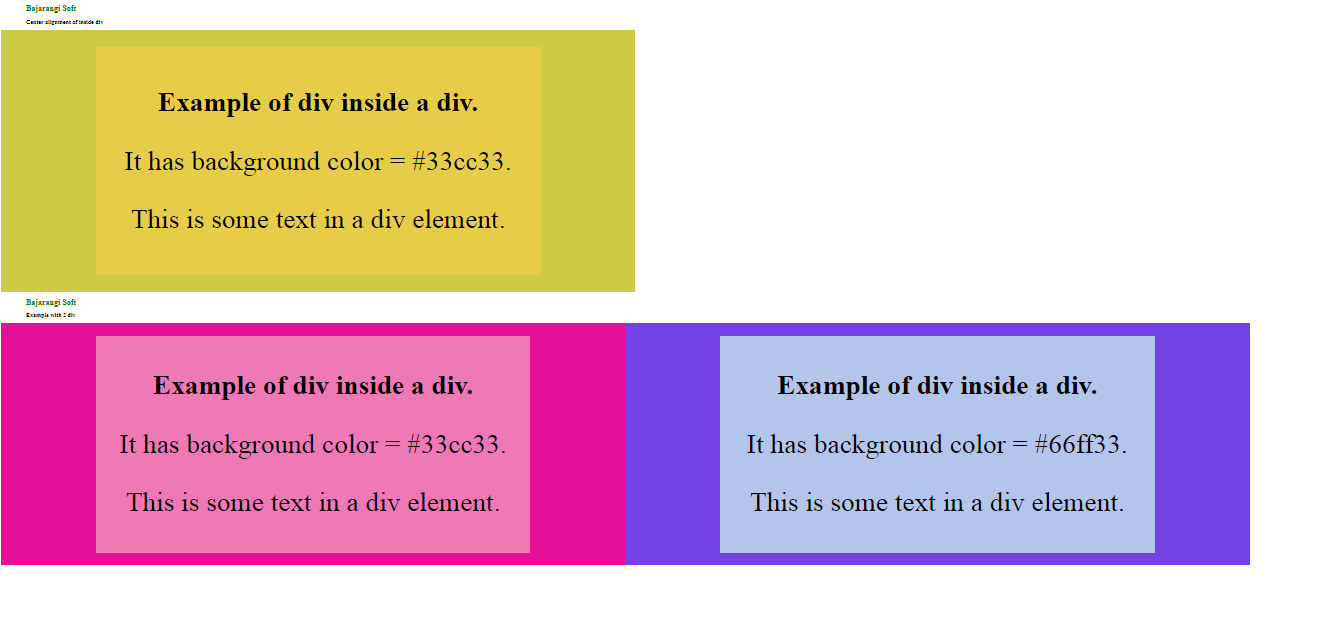
<div>
  <h3>'This is a div of the web page.>/h3>
  <p>This is some text in a div element.</p>
</div>
<!DOCTYPE html>
<html>
<meta name="viewport" content="width=device-width, initial-scale=1.0">
<head>
    <title>Center alignment of inside div</title>
    <style>
        h1 {
            color:green;
            padding-left : 47px;
            text-size:2vw;
        }
        h2 {
            padding-left: 11px;
            text-size:1vw;
        }
    </style>
</head>
<body>
<h1>GeeksforGeeks</h1>
<h2>Center alignment of inside div</h2>
<div style="background-color:#4dff4d;width:44%;text-align:center;padding:70px;">
    <div style="background-color:#33cc33;width:70%;text-align:center;padding:51px;margin:0 auto">
        <h3 style="font-size:2vw;">Example of div inside a div.</h3>
        <p style="font-size:2vw;">It has background color = #33cc33.</p>
        <p style="font-size:2vw;">This is some text in a div element.</p>
    </div>
</div>
</body>
</html>
Example: This example describes how we can place 2 div side by side with each div having a center aligned div within itself.
<!DOCTYPE html>
<html>
<meta name="viewport" content="width=device-width, initial-scale=1.0">
<head>
    <title>2 div example</title>
    <style>
        h1 {
            color:green;
            text-size:2vw;
        }
        h2{
            text-size:1vw;
        }
        h1, h2 {
            padding-left: 100px;
        }
    </style>
</head>
<body>
<h1>GeeksforGeeks</h1>
<h2>Example with 2 div</h2>
<div style="background-color:#4dff4d;width:44%;text-align:center;padding:50px;float:left;">
    <div style="background-color:#33cc33;width:70%;text-align:center;padding:30px;margin:0 auto">
        <h3 style="font-size:2vw;">Example of div inside a div.</h3>
        <p style="font-size:2vw;">It has background color = #33cc33.</p>
        <p style="font-size:2vw;">This is some text in a div element.</p>
    </div>
</div>
<div style="background-color:#00cc44;width:44%;text-align:center;padding:50px;float:left;">
    <div style="background-color:#66ff33;width:70%;text-align:center;padding:30px;margin:0 auto">
        <h3 style="font-size:2vw;">Example of div inside a div.</h3>
        <p style="font-size:2vw;">It has background color = #66ff33.</p>
        <p style="font-size:2vw;">This is some text in a div element.</p>
    </div>
</div>
</body>
</html>