
 Posted By
Bajarangi soft ,
Posted On 27-11-2020
Posted By
Bajarangi soft ,
Posted On 27-11-2020
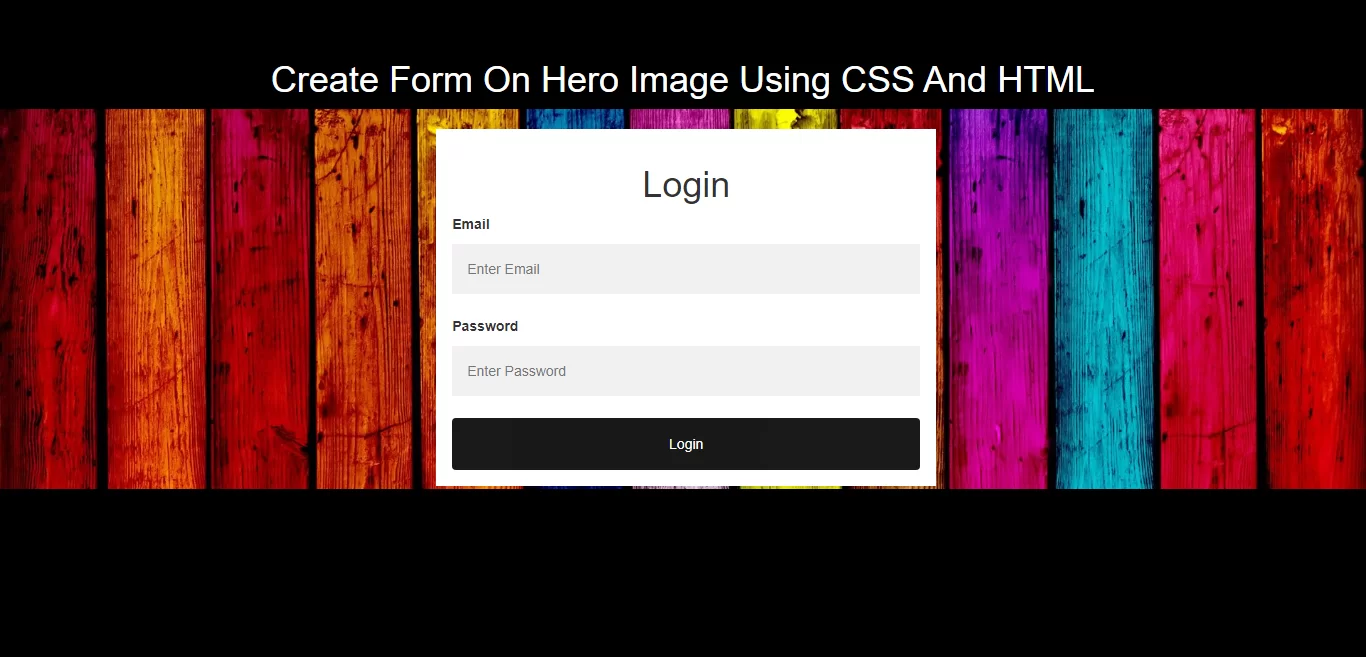
Complete Code For Creating Form On Hero Image Using CSS And HTML.
<!DOCTYPE html>
<html>
<head>
    <title>How To Create Form On Hero Image Using CSS And HTML</title>
    <meta name="viewport" content="width=device-width, initial-scale=1.0">
    <link href="//maxcdn.bootstrapcdn.com/bootstrap/3.3.0/css/bootstrap.min.css" rel="stylesheet">
</head>
<style>
    body, html {
        height: 100%;
        background: black;
    }

    * {
        box-sizing: border-box;
    }

    .bg-img {
        /* The image used */
        background-image: url("https://cdn.hipwallpaper.com/i/73/10/p52aU0.jpg");

        /* Control the height of the image */
        min-height: 380px;

        /* Center and scale the image nicely */
        background-position: center;
        background-repeat: no-repeat;
        background-size: cover;
        position: relative;
    }

    /* Add styles to the form container */
    .container {
        position: absolute;
        right: 30%;
        margin: 20px;
        max-width: 500px;
        padding: 16px;
        background-color: white;
    }

    /* Full-width input fields */
    input[type=text], input[type=password] {
        width: 100%;
        padding: 15px;
        margin: 5px 0 22px 0;
        border: none;
        background: #f1f1f1;
    }

    input[type=text]:focus, input[type=password]:focus {
        background-color: #ddd;
        outline: none;
    }

    /* Set a style for the submit button */
    .btn {
        background-color: black;
        color: white;
        padding: 16px 20px;
        border: none;
        cursor: pointer;
        width: 100%;
        opacity: 0.9;
    }

    .btn:hover {
        opacity: 1;
    }
</style>
<body>
<br/><br/>
<div class="text-center">
    <h1 id="color" style="color: white;">Create Form On Hero Image Using CSS And HTML</h1>
</div>
<div class="bg-img ">
    <form action="#" class="container">
        <div class="text-center">
            <h1>Login</h1>
        </div>

        <label for="email"><b>Email</b></label>
        <input type="text" placeholder="Enter Email" name="email" required>

        <label for="psw"><b>Password</b></label>
        <input type="password" placeholder="Enter Password" name="psw" required>

        <button type="submit" class="btn">Login</button>
    </form>
</div>
</body>
</html>