
 Posted By
Bajarangi soft ,
Posted On 05-10-2020
Posted By
Bajarangi soft ,
Posted On 05-10-2020
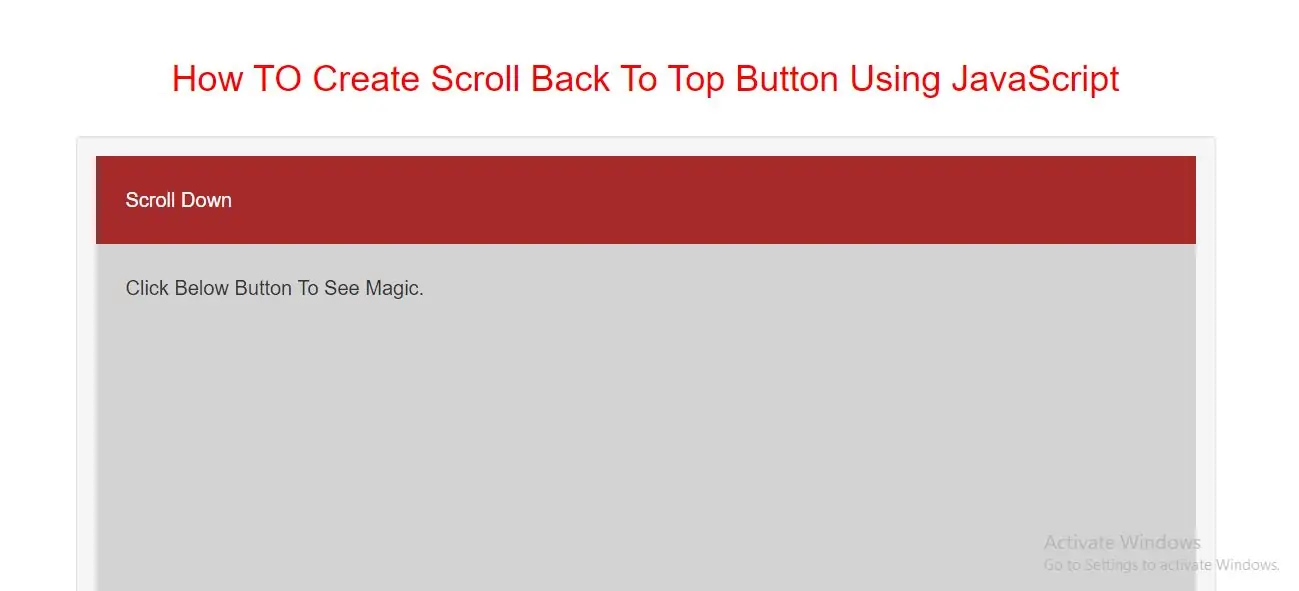
Step 1: Create index.html file and implement below code in it.
<button onclick="topFunction()" id="Btn" title="Go to top">Top</button>
<style>
    h1 {
        color: red;
    }

     body {
         font-family: Arial, Helvetica, sans-serif;
         font-size: 20px;
     }

    #Btn {
        display: none;
        position: fixed;
        bottom: 20px;
        right: 30px;
        z-index: 99;
        font-size: 18px;
        border: none;
        outline: none;
        background-color: red;
        color: white;
        cursor: pointer;
        padding: 15px;
        border-radius: 4px;
    }

    #Btn:hover {
        background-color: #555;
    }
</style>
Step 3:Now we implement javascript to scroll back to top of page.
<script>
    //Get the button
    var mybutton = document.getElementById("Btn");

    // When the user scrolls down 20px from the top of the document, show the button
    window.onscroll = function() {scrollFunction()};

    function scrollFunction() {
        if (document.body.scrollTop > 20 || document.documentElement.scrollTop > 20) {
            mybutton.style.display = "block";
        } else {
            mybutton.style.display = "none";
        }
    }

    // When the user clicks on the button, scroll to the top of the document
    function topFunction() {
        document.body.scrollTop = 0;
        document.documentElement.scrollTop = 0;
    }
</script>
<!DOCTYPE html>
<html>
<head>
    <title> How TO Create Scroll Back To Top Button Using JavaScript</title>
    <meta charset="utf-8">
    <meta name="viewport" content="width=device-width, initial-scale=1">
    <link rel="stylesheet" href="https://maxcdn.bootstrapcdn.com/bootstrap/3.4.1/css/bootstrap.min.css">
</head>
<style>
    h1 {
        color: red;
    }

     body {
         font-family: Arial, Helvetica, sans-serif;
         font-size: 20px;
     }
    #Btn {
        display: none;
        position: fixed;
        bottom: 20px;
        right: 30px;
        z-index: 99;
        font-size: 18px;
        border: none;
        outline: none;
        background-color: red;
        color: white;
        cursor: pointer;
        padding: 15px;
        border-radius: 4px;
    }
    #Btn:hover {
        background-color: #555;
    }
</style>

<body>
<div class="container">
    <br>
    <br>
    <div class="text-center">
        <h1> How TO Create Scroll Back To Top Button Using JavaScript</h1>
    </div>
    <br>
    <div class="well">
        <button onclick="topFunction()" id="Btn" title="Go to top">Top</button>

        <div style="background-color:brown;color:white;padding:30px">Scroll Down</div>
        <div style="background-color:lightgrey;padding:30px 30px 2500px">Click Below Button To See Magic.</div>
        <script>
            //Get the button
            var mybutton = document.getElementById("Btn");

            // When the user scrolls down 20px from the top of the document, show the button
            window.onscroll = function() {scrollFunction()};

            function scrollFunction() {
                if (document.body.scrollTop > 20 || document.documentElement.scrollTop > 20) {
                    mybutton.style.display = "block";
                } else {
                    mybutton.style.display = "none";
                }
            }

            // When the user clicks on the button, scroll to the top of the document
            function topFunction() {
                document.body.scrollTop = 0;
                document.documentElement.scrollTop = 0;
            }
        </script>
    </div>
    <div>
</body>
</html>