
 Posted By
Bajarangi soft ,
Posted On 30-09-2020
Posted By
Bajarangi soft ,
Posted On 30-09-2020
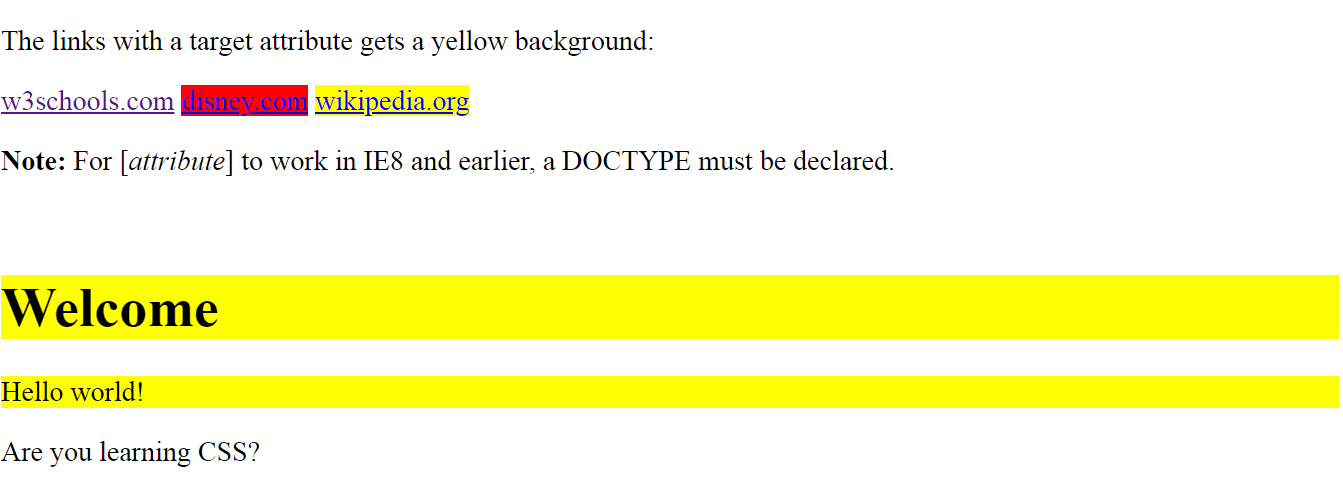
1.CSS Atrributes Selectors in CSS
<!DOCTYPE html>
<html>
<head>
    <style>
        a[target] {
            background-color: yellow;
        }
        a[target=_blank] {
            background-color: red;
        }

        [class|=top] {
            background: yellow;
        }
    </style>
</head>
<body>

<p>The links with a target attribute gets a yellow background:</p>

<a href="https://www.w3schools.com">w3schools.com</a>
<a href="http://www.disney.com" target="_blank">disney.com</a>
<a href="http://www.wikipedia.org" target="_top">wikipedia.org</a>

<p><b>Note:</b> For [<i>attribute</i>] to work in IE8 and earlier, a DOCTYPE must be declared.</p>
<br>
<h1 class="top-header">Welcome</h1>
<p class="top-text">Hello world!</p>
<p class="topcontent">Are you learning CSS?</p>

</body>
</html>
<!DOCTYPE html>
<html>
<head>
    <style>
        input[type="text"] {
            width: 150px;
            display: block;
            margin-bottom: 10px;
            background-color: yellow;
        }

        input[type="button"] {
            width: 120px;
            margin-left: 35px;
            display: block;
        }
    </style>
</head>
<body>

<form name="input" action="" method="get">
    Firstname:<input type="text" name="Name" value="Peter" size="20">
    Lastname:<input type="text" name="Name" value="Griffin" size="20">
    <input type="button" value="Example Button">
</form>

</body>
</html>