
 Posted By
Bajarangi soft ,
Posted On 10-10-2020
Posted By
Bajarangi soft ,
Posted On 10-10-2020
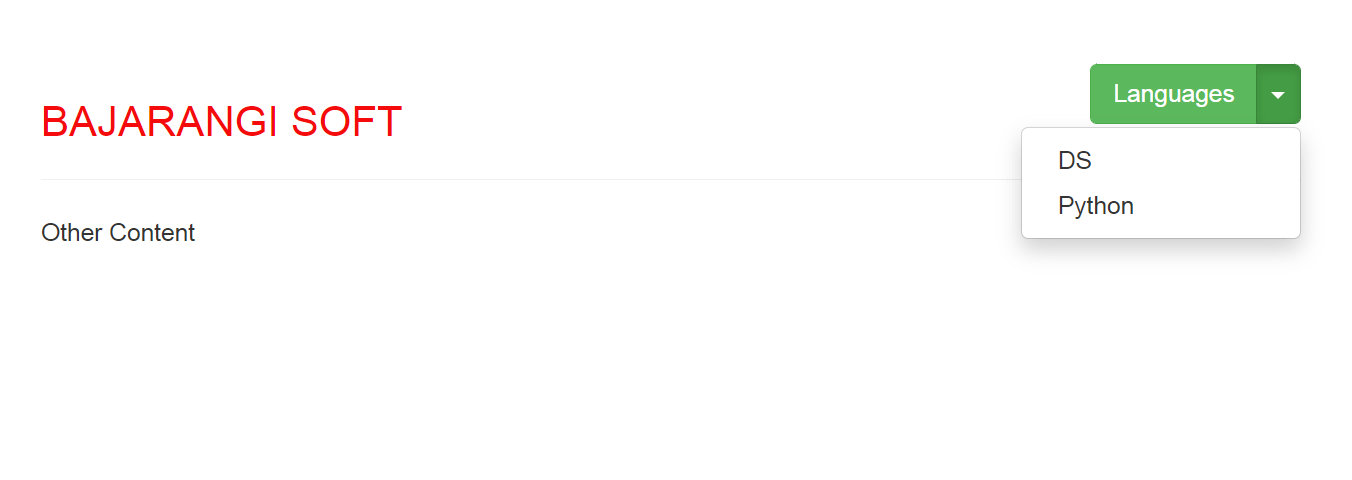
1.The easiest way to do this, Set “pull-right” in button class.
Example:
<!DOCTYPE html>
<html lang="en">

<head>
    <title>place button in top right corner</title>
    <meta charset="utf-8">
    <meta name="viewport" content="width=device-width, initial-scale=1">
    <link rel="stylesheet" href="https://maxcdn.bootstrapcdn.com/bootstrap/3.4.0/css/bootstrap.min.css">
    <script src="https://ajax.googleapis.com/ajax/libs/jquery/3.4.1/jquery.min.js"></script>
    <script src="https://maxcdn.bootstrapcdn.com/bootstrap/3.4.0/js/bootstrap.min.js"></script>
</head>

<body>
<div class="container">
    <h1>
        <span style="color:#ee5007">BAJARANGI SOFT</span>
        <button class='btn btn-danger pull-right'>Button Text</button>
    </h1>
</div>
</body>

</html>
<!DOCTYPE html>
<html lang="en">

<head>
    <title>place button in top right corner</title>
    <meta charset="utf-8">
    <meta name="viewport" content="width=device-width, initial-scale=1">
    <link rel="stylesheet" href="https://maxcdn.bootstrapcdn.com/bootstrap/3.4.0/css/bootstrap.min.css">
    <script src="https://ajax.googleapis.com/ajax/libs/jquery/3.4.1/jquery.min.js"></script>
    <script src="https://maxcdn.bootstrapcdn.com/bootstrap/3.4.0/js/bootstrap.min.js"></script>
</head>

<body>

<div class="container">
    <section>
        <div class="page-header">
            <h3 style="color:#f50b0b"
                class="pull-left">
                BAJARANGI SOFT
            </h3>
            <div class="pull-right">
                <div class="btn-group">
                    <button class="btn btn-success">
                        Languages
                    </button>
                    <button class="btn btn-success dropdown-toggle"
                            data-toggle="dropdown">
                        <span class="caret"></span>
                    </button>
                    <ul class="dropdown-menu pull-right">
                        <li>
                            <a href="#">DS</a>
                        </li>
                        <li>
                            <a href="#">Python</a>
                        </li>
                    </ul>
                </div>
            </div>
            <div class="clearfix"></div>
        </div>
        Other Content
    </section>
</div>
</body>

</html>